Linkding
Linkding is a personal or team bookmark library. Save links with titles, tags, descriptions and notes, then find them again without keeping browser tabs open. Use it for research, engineering references or a reading list. It is not a document editor or a full-text copy of every website.
The current template uses an embedded database. Concurrent-write durability on shared storage has not been certified. A successful bookmark and restart test does not prove safe production storage. Do not import your only copy of an important library until this limitation is resolved. Keep an independent export.
Before You Start
- Choose the workspace and environment where the library should live.
- Your workspace role must allow creating services and viewing their logs.
- Choose a unique administrator username and a strong password. Linkding and Moltern have separate logins.
- Keep an independent bookmark export before importing important data.
- Review the capacity and storage allowance. Starting values are not a promise that a large library or frequent downloads will fit.
Template And Dependencies
The tested template uses Linkding 1.36.0's standard image and an embedded database. It does not create a separate PostgreSQL service. There is no create-or-reuse database selector, unlike Directus.
Upstream supports other configurations, but not every upstream option has been
integrated and validated in Moltern. The standard template does not include the
browser-based HTML snapshot features of the larger plus image. Do not change
database settings on a populated installation without a reviewed migration.
Deploy In Moltern
- Open Services, find Linkding, and choose the template.
- Enter a name and select the environment group and environment.
- Review Capacity and scaling. Keep one instance; automatic instance scaling is not supported by this template.
- Enter Admin Username and Admin Password under Configuration.
- Select Preview deploy and review CPU, memory, workload and storage impact.
- Select Confirm deploy and wait for installation to finish.
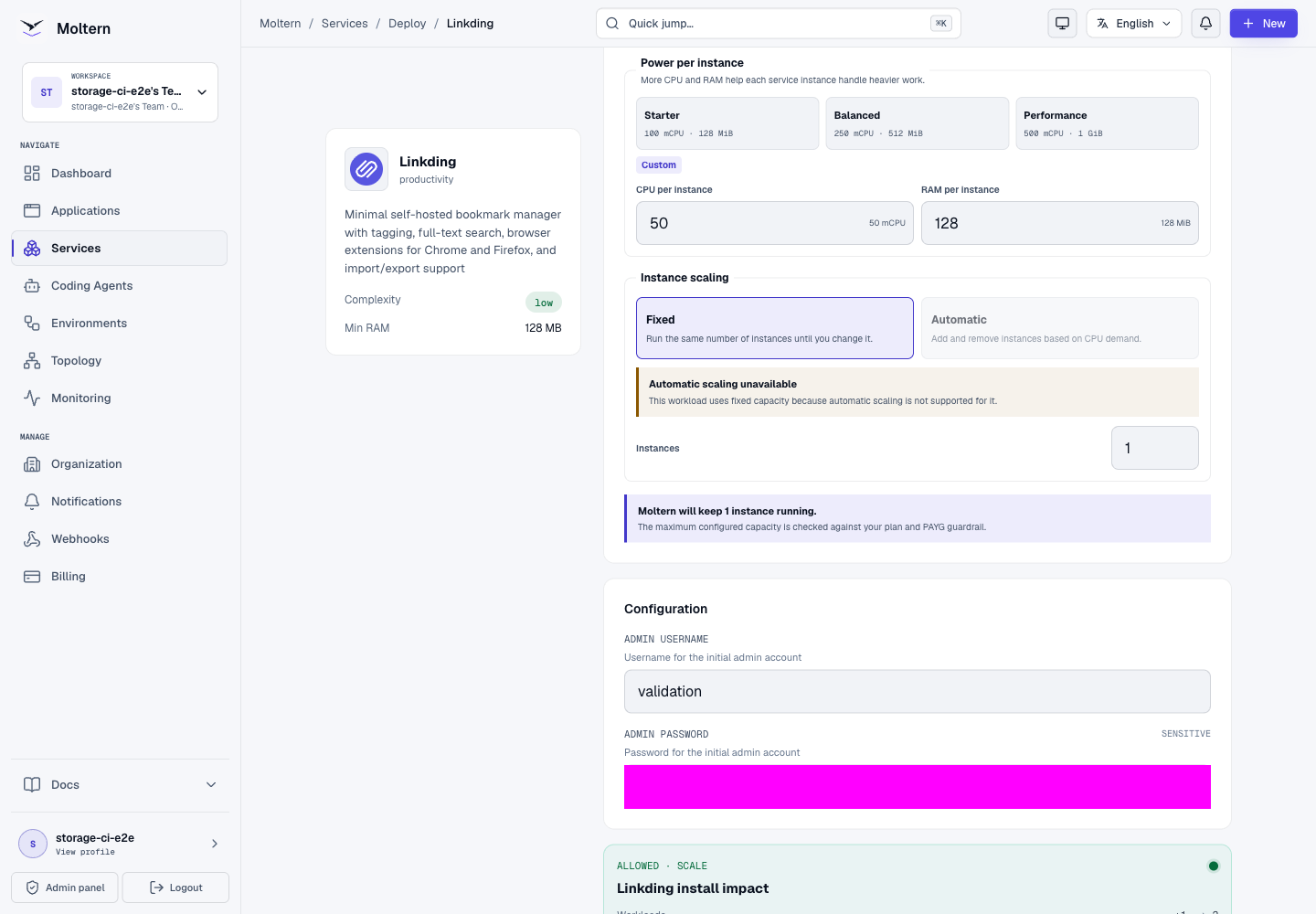
The Dedicated storage preview can be zero because the service uses workspace file storage. That does not mean its files consume no space or are excluded from your plan's storage rules.
Sign In And Save A Bookmark
Open the service URL after deployment. Use the Linkding credentials entered during creation, not your Moltern email or account password.
- Select Add bookmark and enter a complete URL, including
https://. - Add space-separated tags such as
research engineering, without#prefixes. - Enter or review the title and description. Add notes if useful.
- Optionally mark it as unread, then select Save.
- Reopen the saved entry and check its URL, tags and notes.
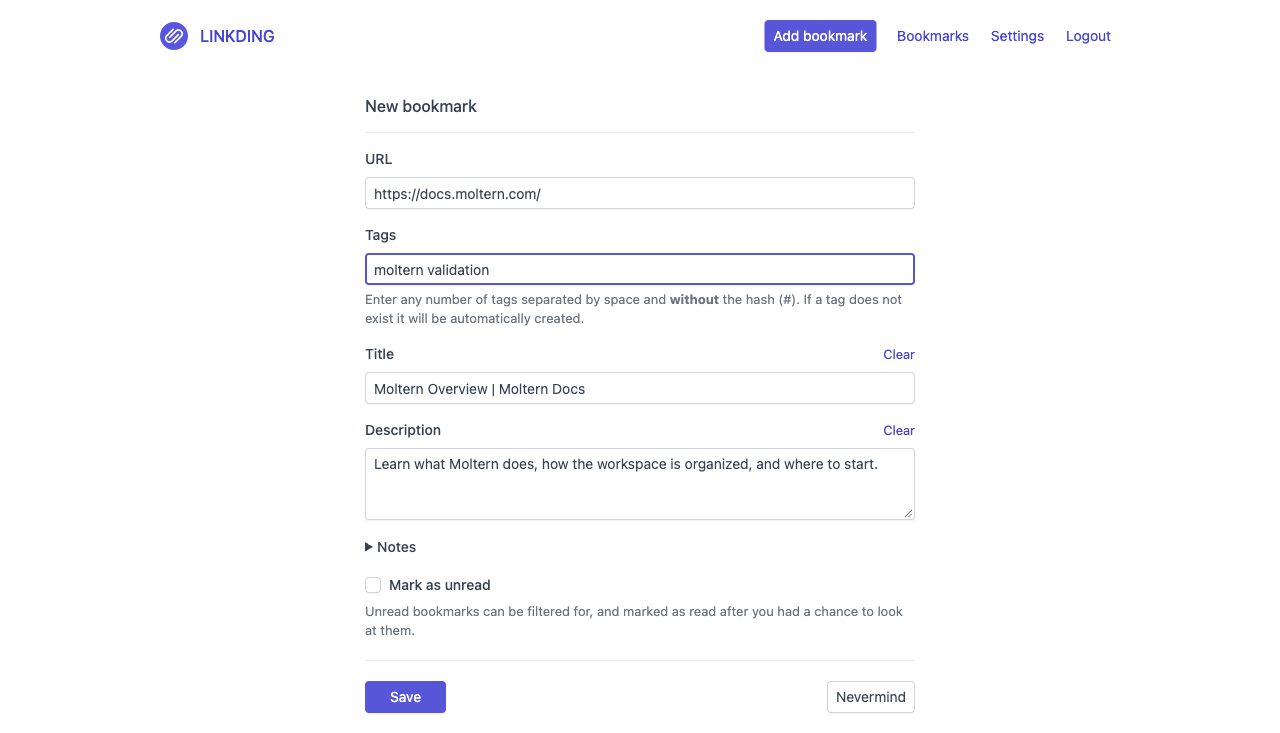
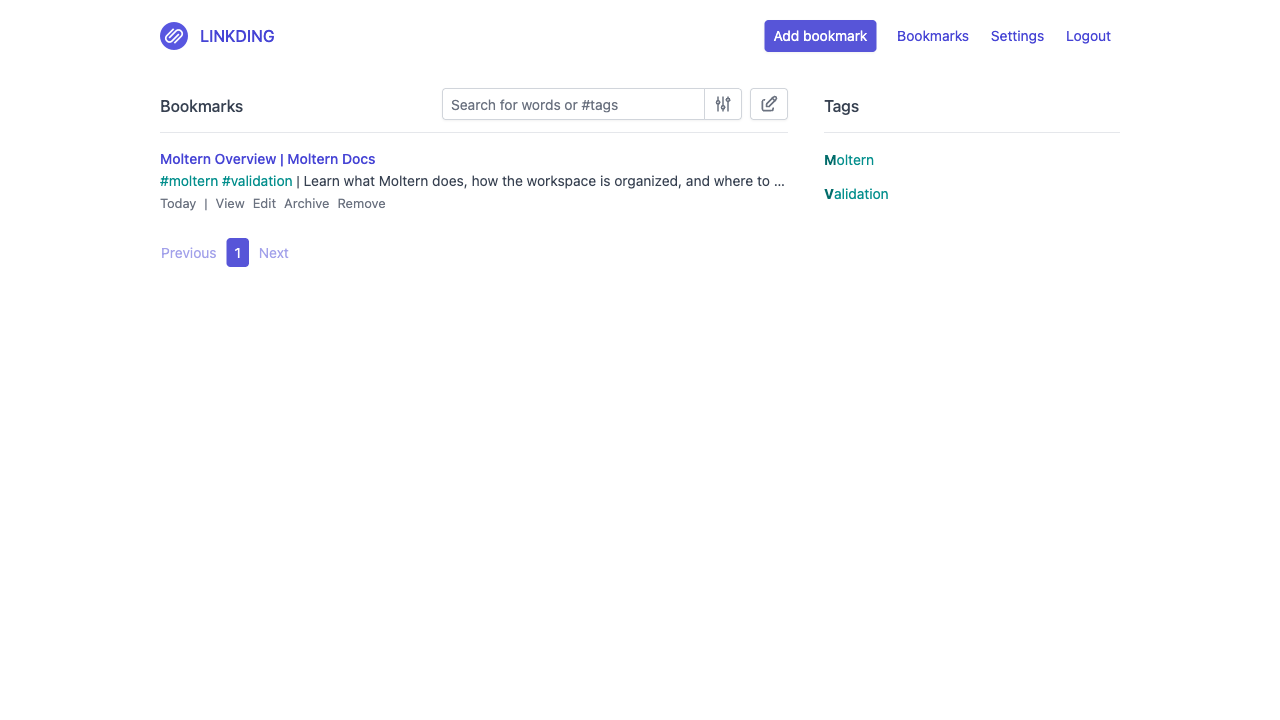
A saved entry is a useful product check. A Running status or successful login alone does not verify saving, background downloads or persistence.
Use the tag list to narrow the library by topic. Edit changes saved details. Archive removes an entry from the main list; it is not a backup. Remove deletes an entry, so practice on a disposable bookmark before bulk changes.
Settings And Privacy
Linkding Settings controls its theme, date format, descriptions, tags and items per page. These are separate from Moltern's service settings.
Some features contact external providers:
| Setting | Privacy consideration |
|---|---|
| Favicons | Fetches site icons; the upstream default is a Google-hosted provider. |
| Preview images | Downloads images associated with bookmarked pages. |
| Internet Archive integration | Can submit URLs to an external archive. Leave disabled for confidential links. |
| HTML snapshots | Requires a compatible snapshot-enabled runtime, not just an option in the UI. |
Review these settings before importing confidential links. A private URL is not necessarily safe to submit to an external metadata or archive provider. Adding a URL does not automatically grant Linkding access to other private Moltern services.
Extensions And API Clients
Settings > Integrations contains extension and API information. Configure clients with the service's HTTPS URL, and treat API tokens like passwords. Never include tokens in screenshots, repositories or shared bookmarks.
An API token authenticates a client to Linkding. It does not create a Moltern private-service attachment or grant a coding agent access to other workloads. Extension pairing and agent-driven operations remain separate test gates; the basic bookmark test does not certify them.
Persistence, Export And Recovery
Bookmark records, account state and downloaded assets belong to the service's persistent data. A runtime restart should not erase them. The shared-storage durability limitation above still applies.
For a disposable persistence check:
- Save a uniquely named bookmark and note its tags.
- Stop and start the service in Moltern, then wait for it to respond.
- Sign in again if needed and find the existing entry.
- Read it without creating it again; recreating it would hide data loss.
Use Settings > Export to retain an independent bookmark copy. Inspect the downloaded file before relying on it. A bookmark export is not a full backup of all accounts, settings, tokens or downloaded assets. Practice importing it into a separate disposable installation before treating it as a recovery procedure.
Capacity, Logs And Usage
Moltern Live Logs helps investigate startup, requests and background tasks. Logs may contain private URLs, so review them before sharing.
Use Capacity to review CPU and memory changes before applying. A resize can replace the runtime and cause a short interruption. It should not initialize an empty library. Multiple replicas are not a workaround for the embedded database's storage constraints.
Billing > Storage by workload updates after measurement. A small library can round to zero GiB despite storing bytes. Check freshness and availability rather than treating zero or an unavailable measurement as proof that no data exists. Capacity reservations, measured usage and the final invoice are different things.
Troubleshooting And Cleanup
| Symptom | What to check |
|---|---|
| Login rejects credentials | Use the Linkding username/password. Review protected Connection details in Moltern when needed. |
| URL unavailable just after Start | Wait for initialization and inspect Live Logs. Do not create another copy merely to bypass startup. |
| Bookmark saves but metadata is absent | Check the destination, privacy settings, outbound access and background-job logs. Entering a title manually does not prove fetching works. |
| Running status but background features fail | A web health check does not test every job. Keep the error and deployment time for support. |
| Entries disappear after an update | Stop making writes and retain any export. Do not repeatedly initialize a replacement library. |
| Storage allowance exceeded | Review usage and the preview. Remove only unwanted data, or review paid capacity in Billing. |
Delete A Disposable Service
Read the Delete Service preview in Moltern. Delete stored data removes the runtime and schedules cleanup of its workspace files. Keep workspace files retains data, which continues counting toward workspace storage.
Deletion is asynchronous. Check that cleanup finishes before assuming capacity has been released. Do not delete unrelated services or shared files to clear a failed installation.
Frequently Asked Questions
Does Moltern create a separate database for Linkding?
Not for this template. It uses an embedded database. Upstream PostgreSQL support is not a validated Moltern database-selection and migration workflow.
Why does my Moltern password not sign me into Linkding?
They are separate accounts. Use the Linkding administrator credentials. Moltern's protected connection-details view controls disclosure, not Linkding SSO.
Will bookmarks survive a restart?
That is the intended behavior. A saved bookmark survived a runtime replacement in the customer test. Concurrent-write durability is still an open gate; retain an independent copy and do not treat a restart check as backup certification.
Are all saved bookmarks public?
The tested library requires a Linkding login. Review sharing options inside Linkding. A generated Moltern URL does not establish application-level team permissions on your behalf.
Is an irreplaceable production library certified here?
Not yet. Shared-storage concurrency/durability, full backup/restore, load tests and API-client integration checks remain outstanding.