ConvertX
ConvertX converts files through a browser. Use it for image transformations, document preparation and other formats supported by the installed conversion engines. Each format has its own requirements; one successful image conversion does not certify every document, video or archive type.
An older Moltern chart mounted storage at the wrong application directory. Accounts and results in those installations could be lost on runtime replacement. Download important results before restarting or updating an old service, and contact support to check the service's storage configuration. A chart correction cannot recover a container layer that has already been deleted.
Before You Start
- Select a workspace and environment where you can deploy services.
- Choose a small, non-confidential source file you may legally process.
- Prepare a strong ConvertX password and keep it separately from Moltern.
- Review resource capacity, storage allowance and retention requirements.
The tested version is ConvertX 0.18.0. It does not provision an external database dependency. Keep one fixed instance. Heavy video/document conversion can require more resources than a small PNG transformation.
Deploy In Moltern
- Choose Services > ConvertX and enter a recognizable name.
- Select the environment group and environment.
- Review Capacity and scaling, then choose Preview deploy.
- Review the impact and choose Confirm deploy.
- Wait for startup, then open the service URL.
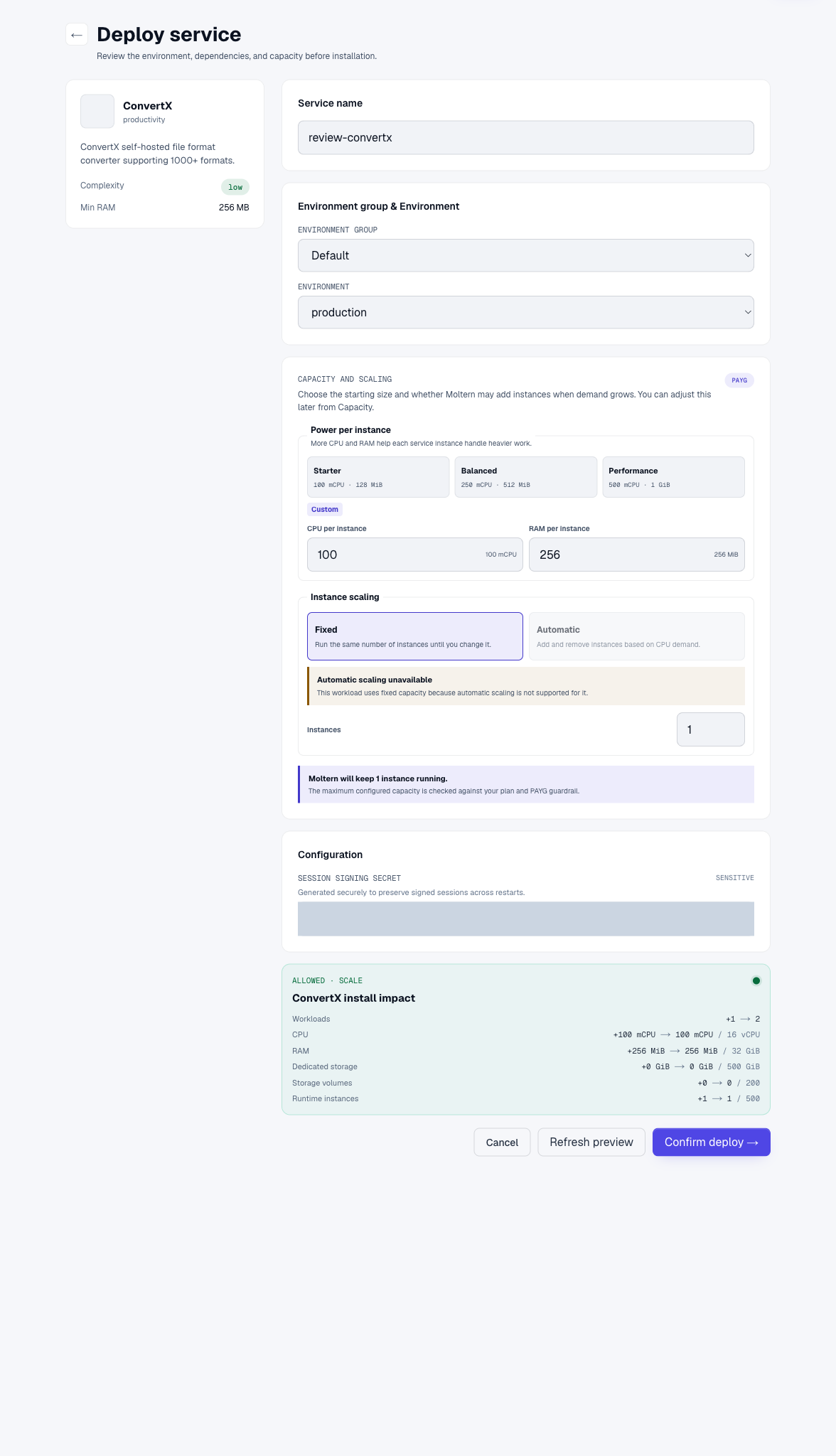
The corrected template keeps application data in workspace filespace and uses a securely generated session-signing key. You do not need to invent or publish that key. It is not your login password. No additional dedicated volume does not mean uploads consume no storage.
Create The First Account
The initial screen says Welcome to ConvertX! and Create your account. Enter your email and a strong password, then submit. Complete setup before sharing the URL. This creates a ConvertX account, not another Moltern account.
The email field is an account identifier. Do not assume it proves email delivery, verification or a working password-reset flow. Store the password securely. Moltern cannot automatically recover a password chosen inside ConvertX.
Convert An Image
- Choose a file or drop it into the upload area.
- Wait until the filename and size appear.
- Use Search for conversions to find the target format.
- Select a conversion engine appropriate to the file. The tested workflow used PNG input, WebP output and the vips engine.
- Choose Convert and wait for the result to become Done.
- Download the converted file and open it locally.
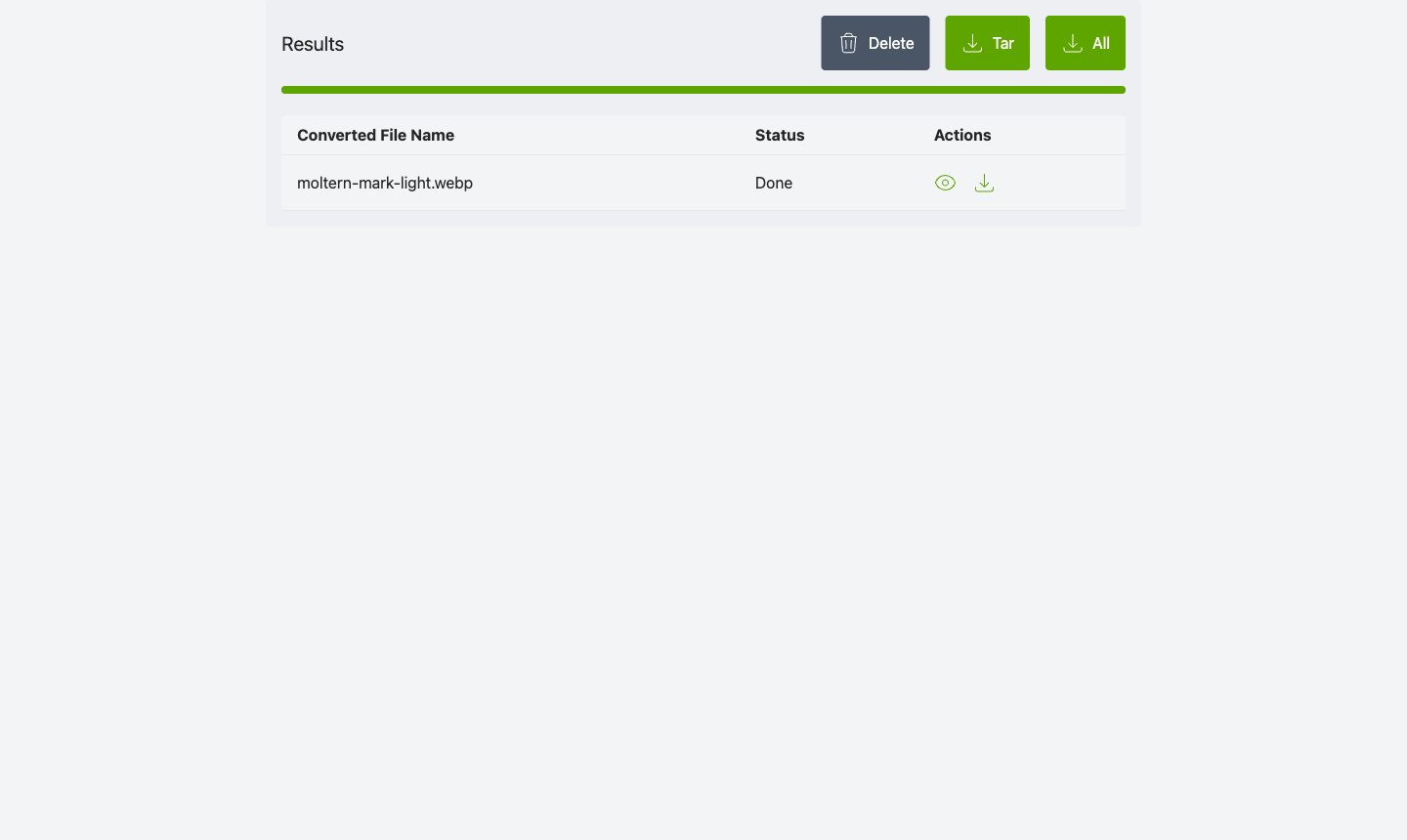
The validation file decoded as a real image after download. Merely receiving an HTTP response is not enough: error pages can also download as files. Confirm the file type, dimensions or document contents you expect.
If selecting a file produces no visible filename, reload and choose it again before submitting. Wait for the product interface to finish loading. Do not interpret a filename still inside a hidden input as a completed upload.
History, Privacy And Integrations
History lets you revisit conversions. Account manages your product account; Logout ends the browser session. Verify private results cannot be downloaded in a signed-out browser before using confidential files.
Keep unauthenticated conversion disabled for private deployments. A live URL does not grant an agent permission to download or transform your files. An integration needs product-supported authentication and scoped connectivity. No stable public automation API or Moltern agent connector is certified by this guide.
Conversion tools process complex files. Use trusted inputs, restrict access and avoid treating this as a secure malware-analysis sandbox. Credentials must stay out of filenames, URLs, screenshots and repositories.
Persistence, Retention And Recovery
Accounts, input files, history and output must use the corrected application-data location. For a disposable persistence check, convert a file, record its checksum, restart the service, then reopen the original result without reconverting it. Check whether login is preserved separately from whether data survives.
Upstream ConvertX has automatic file cleanup settings. It is a converter, not a permanent archive. Download important outputs promptly and review the configured retention policy before expecting old jobs to remain available.
Use Moltern Capacity for CPU/memory changes and Live Logs for startup or conversion failures. Runtime replacement can briefly interrupt active work. Avoid restarting during a long conversion. A successful restart is not a full backup/restore or interrupted-job recovery guarantee.
Billing > Storage by workload shows periodically measured files. A conversion may use temporary disk and CPU beyond its final output size. Exact time-based billing and complete recovery remain open validation gates.
Troubleshooting
| Symptom | Next action |
|---|---|
| Account/history disappears after restart | Stop using the old deployment, preserve remaining downloads and ask support to verify its data mount. |
| Format selector stays hidden | Wait for the filename to appear; reload and reselect the file if necessary. |
| Output downloads but will not open | Check job status, expected format and engine, then inspect logs. |
| Long startup after restart | The conversion image is large and may need downloading again before readiness. |
| A conversion exceeds resources | Start with a smaller test, inspect logs and review capacity. |
| Signed-out download fails | Expected for private results; use an authorized session rather than disabling protection. |
Delete Or Keep Conversion Data
Download needed outputs first. Open Delete Service, review the selected service and choose Delete stored data or Keep workspace files. Confirm your account when requested. Retained files still consume workspace space. Wait for cleanup before assuming capacity has been reclaimed.
Do not delete an entire shared allocation to remove one converter. Application retention, service deletion and workspace storage cleanup are distinct actions.
Frequently Asked Questions
Does ConvertX need another database?
Not in this template. Its embedded account/history data is part of the persistent service allocation.
Are conversions permanently retained?
Do not assume so. Review automatic cleanup settings and download important output.
Does HTTPS mean anyone with the URL can download results?
No. HTTPS protects transport; application authentication still controls access.
Is every converter tested?
No. The live product test uses a PNG-to-WebP conversion. Other formats and large-file resource behavior need their own validation.