Excalidraw
Excalidraw is a whiteboard for hand-drawn diagrams, wireframes, and sketches. The catalog deployment serves the editor without requiring an account or database.
Drawings are saved in your browser, not in a Moltern-managed document store. The current image's Live collaboration feature contacts external services. Hosting this editor does not provide a self-hosted collaboration backend. Do not start a room with confidential data unless those external services are approved for your use. Multi-user collaboration is not certified by this guide.
Deploy on Moltern
- Open Services, select Deploy service, and find Excalidraw.
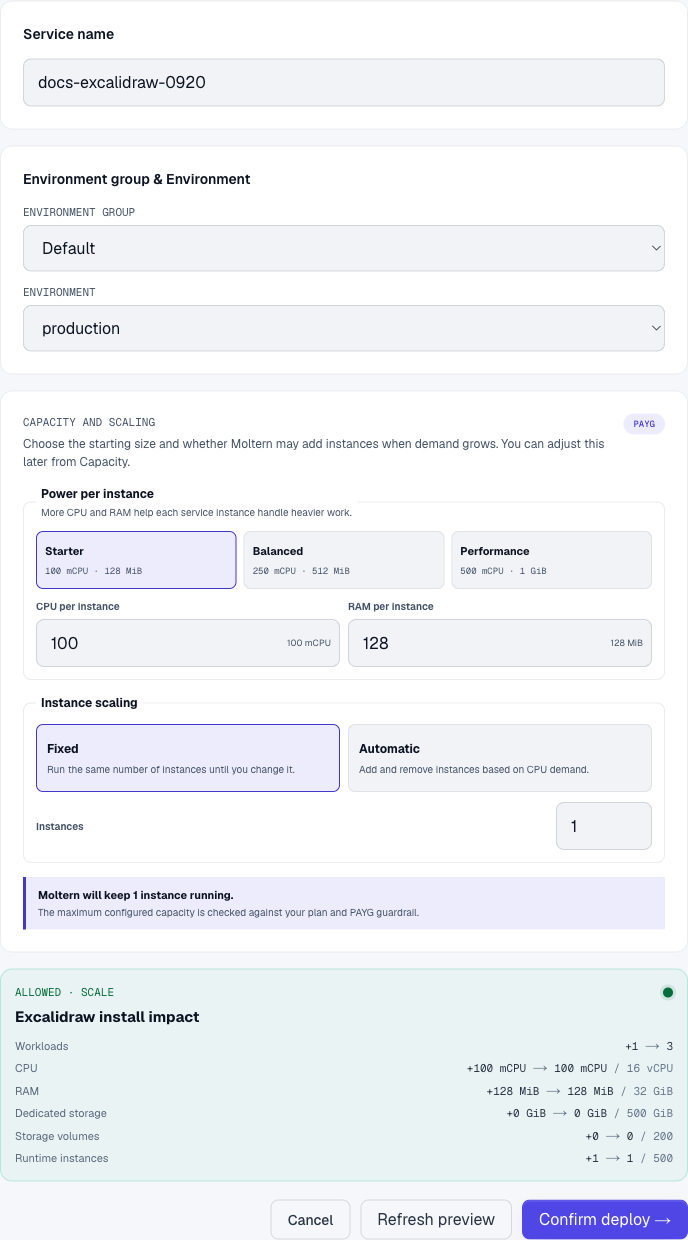
- Name the service and select an environment.
- Review Capacity and scaling. We checked 100 mCPU, 128 MiB, and 1 fixed instance. This is a functional-test size, not a load benchmark.
- Select Preview deploy, review the resources, and Confirm deploy.
- Wait for Running, then select Open.
The HTTPS address opens the editor directly. Knowing a URL is not authentication. No database attachment is needed for the local drawing workflow below.
Draw Your First Diagram
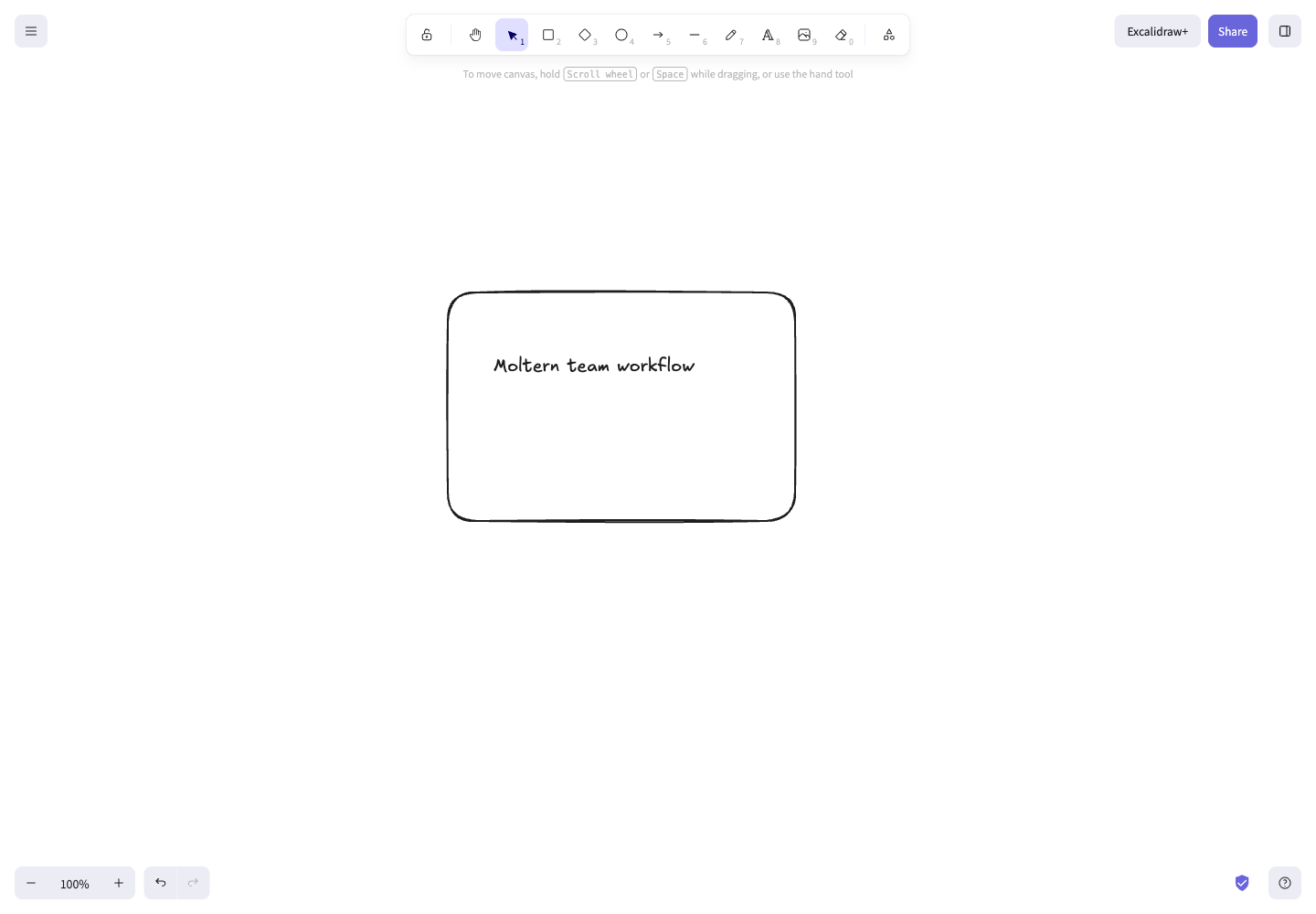
- Select Rectangle in the top toolbar.
- Drag on the canvas to create a box.
- Select Text, click inside the box, and enter
Moltern team workflow. - Press Escape when finished. Use the selection tool to move or resize objects.
- Reload the page in the same browser. The box and text should remain.
The editor exposes Save to... and Export image... in its menu for keeping separate copies. Check that your browser has actually saved the file and that you can reopen it before relying on it as a backup. Our automated check covered drawing and reload, not the native file-picker export flow.
Storage and Sharing
- Browser-local data is tied to the service address and browser profile. Clearing site data or opening another browser does not restore the same drawing.
- Restarting the Moltern runtime did not remove the test drawing in the original browser. That is evidence of browser storage, not persistent server storage.
- A Share room link is different from the editor's public URL. Treat a room link as sensitive, and do not put it in screenshots or public documentation.
- External collaboration connectivity and policy can affect Start session. Do not assume opening the editor proves that a second participant can join.
Manage and Troubleshoot
Use Capacity, Live Logs, and the start/stop controls on the Moltern service page. Billing shows reserved compute; this template does not create a persistent service data volume. Before deleting the service, retain independent copies of important work. Deletion does not convert browser data into a backup.
| Symptom | What to check |
|---|---|
| The diagram is missing | Use the original browser profile and site address; check whether site data was cleared. |
| The editor works but collaboration does not | Check browser connection errors and whether external collaboration services are permitted. |
| A file was not saved | Finish the browser's native file dialog and reopen the resulting file to verify it. |
| The URL is unavailable | Review service state, deployment progress, and Live Logs in Moltern. |
Verification Scope
Checked 20 September 2026 against the catalog image: deployment, HTTPS, rectangle and text creation, browser reload, service stop/start, current compute reservation, and deletion. Screenshots show the real deployed editor. Collaboration, file export/reimport, autoscaling under load, and invoice accuracy remain outside this successful local-editor check.