BookStack
BookStack is a team knowledge base organized into books, chapters, and pages. Use it for onboarding, operating procedures, project notes, and internal guides.
Before You Deploy
You need permission to create services in your Moltern workspace, capacity for BookStack and its database, and an administrator email and password that you control. BookStack accounts are separate from your Moltern account.
Deploy Your Knowledge Base
- In Services, find BookStack and select Deploy.
- Name the service and select its environment.
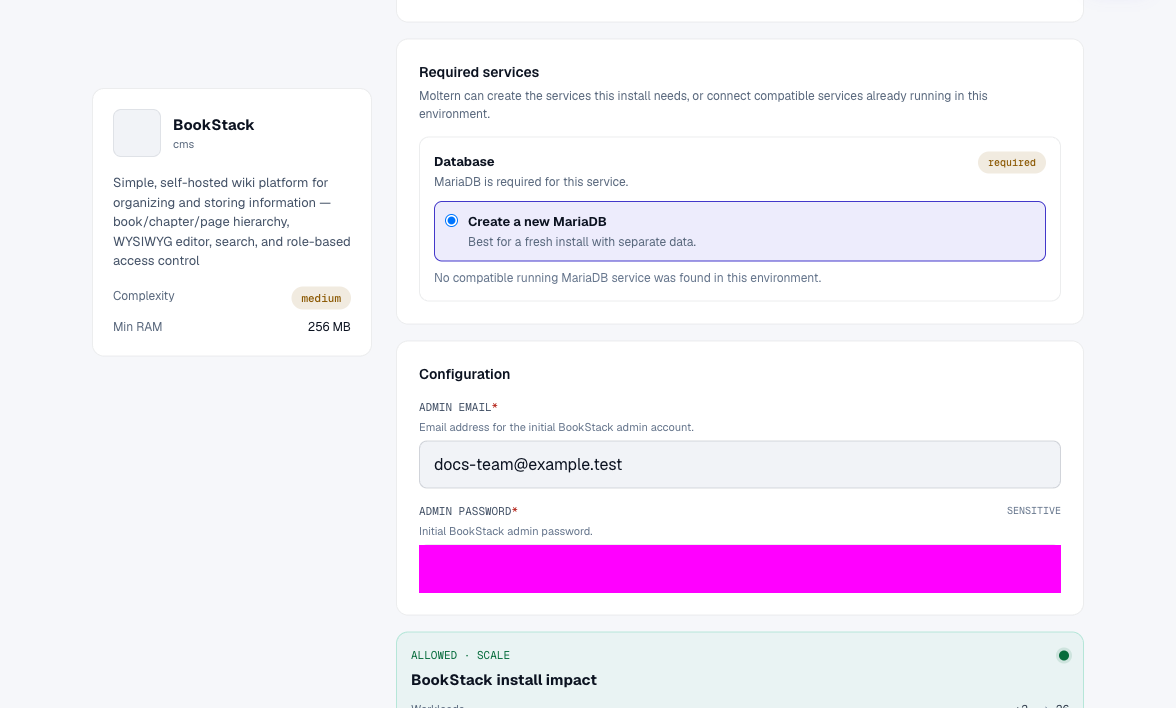
- Enter your Admin Email and Admin Password. These become the initial BookStack login; Moltern does not assign you a shared default password.
- Review Capacity and scaling and the required MariaDB database. Creating a new database keeps this installation's data separate. Only reuse a compatible database when you understand its existing data and the connection preview.
- Select Preview deploy, review the combined impact, then Confirm deploy.
- Wait for the service and database to finish initializing, then select Open.
The first start includes database initialization and can take several minutes. Use Live Logs while waiting. A running database alone does not mean that BookStack has finished setting up.
Publish Your First Page
- Log in with the administrator email and password entered during deployment.
- Open Books, choose Create New Book, and enter a name and description.
- Select Save Book, then New Page.
- Write a title and content in the editor, then choose Save Page.
- Reload the page and confirm the saved content is visible.
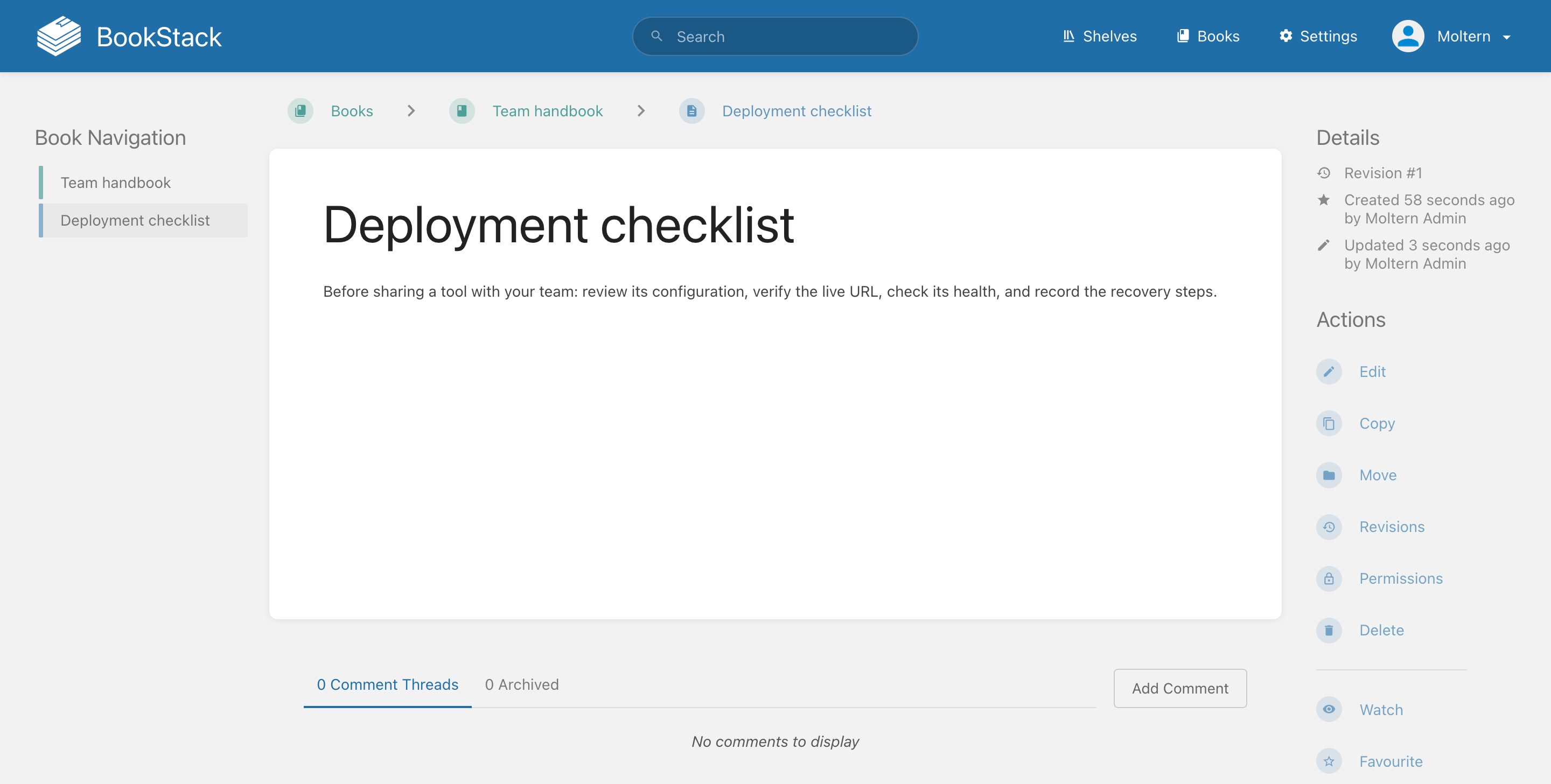
For a larger knowledge base, add chapters inside a book or group books into shelves. Use BookStack's Users, Roles, and content Permissions to control who can read and edit. A live URL is not a substitute for authentication.
Credentials And Access
Moltern's service Settings contains Connection Details. Values are masked until you use Reveal connection values and complete the connection-password check. Do not put revealed credentials in screenshots, prompts, or public repos.
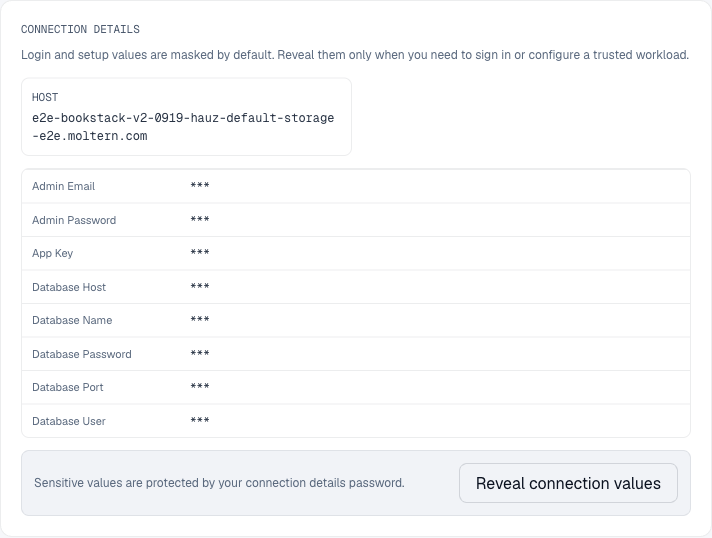
The deployment credentials describe the initial setup. If you change a password inside BookStack, do not assume the originally stored value changes with it. BookStack's Forgot Password? flow requires working outgoing email configured for that BookStack instance; Moltern platform email is not automatically its mail configuration.
Connect An Application Or Agent
BookStack's REST API requires credentials with the appropriate BookStack permissions. Network access or knowledge of the URL alone does not grant access.
In BookStack, open Settings > Users, select the integration user, and use API Tokens > Create Token. Give the token a name and expiry. Prefer a dedicated user with only the necessary roles instead of your administrator account.
Use the token ID and secret as an authorization header:
Authorization: Token <token-id>:<token-secret>
Store integration credentials in the consuming workload's protected configuration. Do not assume a Moltern service attachment creates a BookStack API token. Revoke unused tokens with Delete Token. See the instance's API Documentation for the requests supported by its installed version.
Capacity, Persistence, And Cleanup
Use Moltern Capacity to adjust BookStack and its managed database separately. Stateful maintenance can interrupt access. Stop service pauses the runtime; Start service starts it again without intentionally deleting its stored files. Check your content and login after maintenance. Stopping is not a backup.
Review Billing for the parent service and its database. A small reserved amount or a pending measurement is not proof of zero stored data.
Before deleting, export or back up important content and uploads. Choose Delete stored data only when you intend to remove them, or Keep workspace files when you need retained data. Retained files continue counting toward storage usage. Do not rely on an automatic recovery snapshot for shared files.
Troubleshooting
| Symptom | What to check |
|---|---|
| Waiting for the database | Open the managed dependency and inspect its status and logs. |
| Login fails | Use your deployment email, not your Moltern login; consider any later password changes inside BookStack. |
| First URL visit is unavailable | Wait for BookStack itself to finish setup, not only its database. If deployment fails, inspect Live Logs before retrying. |
| API request returns 401 or 403 | Check the token ID, secret, expiry, and the token owner's permissions. |
| Password reset email does not arrive | Verify BookStack's own outgoing email settings. |