SilverBullet
SilverBullet is a browser-based Markdown knowledge workspace. It combines notes, links, tasks and programmable behavior. Use it for a personal engineering notebook or a deliberately administered knowledge space, not an anonymously writable public scratchpad.
The pinned version tested here is 2.11.0. A fresh installation opens an account and space setup wizard. Owner login, a saved note, signed-out denial and runtime replacement readback have been tested. Older populated installations can behave differently; do not assume that an old single-space setup has authentication.
Before You Start
- Choose a Moltern workspace and environment you may manage.
- Prepare a strong password for the separate SilverBullet administrator.
- Decide who needs access to the knowledge space.
- Review storage and capacity, keeping one fixed instance.
- Use harmless notes until access and recovery are verified.
The tested configuration has no external database dependency. Notes and product configuration use this service's workspace storage allocation. A Moltern team membership is not automatically a SilverBullet account.
Deploy In Moltern
- Open Services and choose SilverBullet.
- Enter a service name and choose the environment group/environment.
- Review Capacity and scaling and choose Preview deploy.
- Check the impact and select Confirm deploy.
- Wait for startup and open the generated URL.
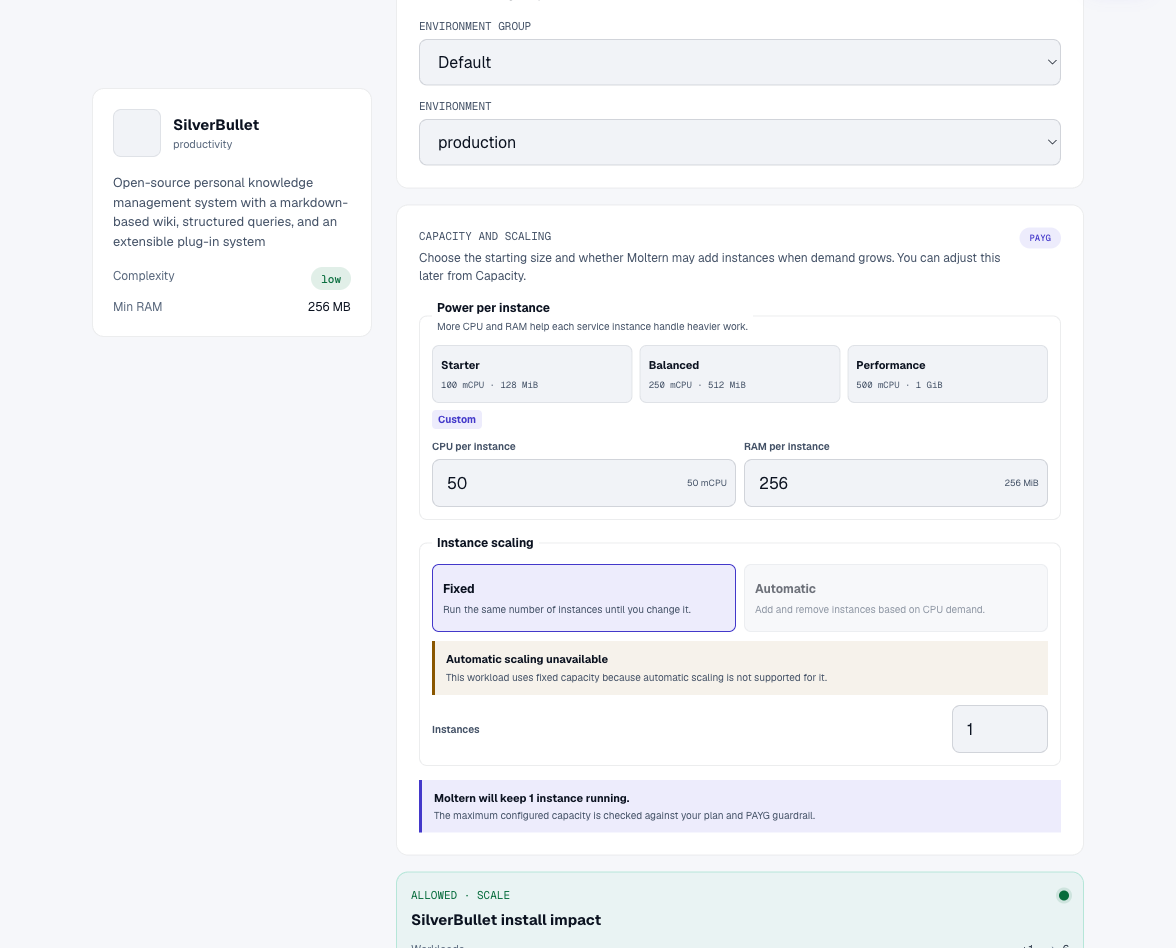
The template uses workspace filespace without adding a dedicated volume. Notes, attachments and history still consume storage.
Create An Administrator And Space
A fresh installation has two setup steps:
- Enter the administrator username, password and repeated password. Full name and email are optional in the tested wizard.
- Confirm the server URL, name the first space, review its path/folder and revision setting, then choose Finish setup.
Use the generated HTTPS origin. Do not enter another service's storage path. Sign in using the administrator you just created. The dashboard lists Spaces, Users, Profile and administration controls.
Complete setup before distributing the URL. Store the password securely: a password chosen inside SilverBullet is not automatically available through Moltern connection details. Optional email does not establish working recovery mail.
Write And Verify A Note
- Open the space from the dashboard.
- Edit a Markdown page, adding a heading, a sentence and a task.
- Allow synchronization to finish.
- Reload and confirm the text is still present.
- Open the same space in a signed-out browser and verify that login is required.
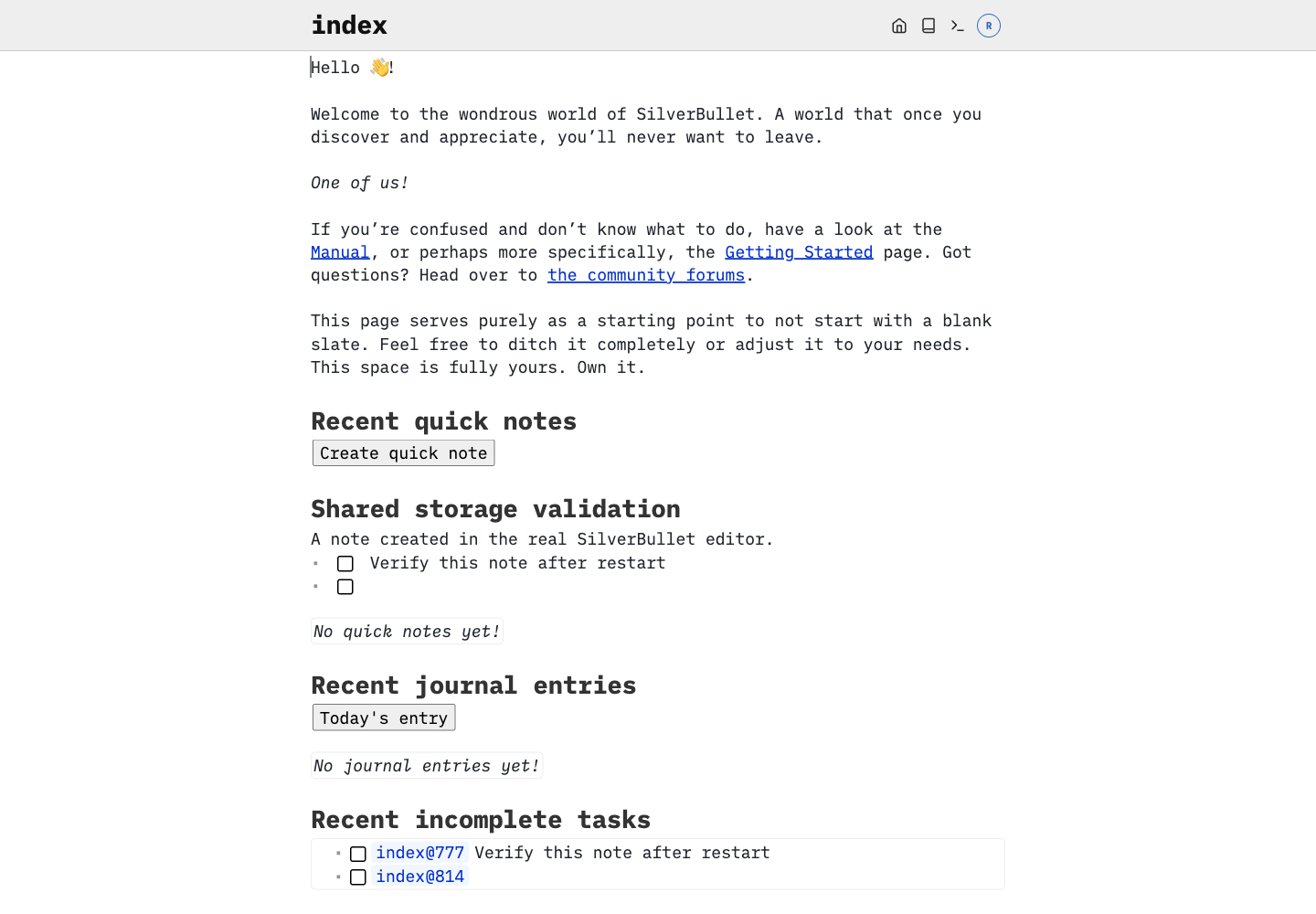
The screenshot contains a real saved note. The validation also checked the server-side file after runtime replacement, rather than relying only on the browser's local cache.
Keep the space private unless you explicitly intend public access. Configure users and space permissions in SilverBullet. Sharing the URL does not establish the permissions you intended.
Powerful Features Need Deliberate Access
SilverBullet supports programmable notes and runtime commands. Treat an administrator as a trusted operator, not a read-only visitor. Do not paste untrusted scripts into a privileged knowledge space or grant administration simply to share a document.
An agent needs the intended application credentials and scoped connectivity. A Moltern attachment is not a SilverBullet administrator account. API tokens, granular grant/revoke and agent integration have not yet been certified by this guide. Keep credentials out of notes, screenshots and repositories.
A populated older single-space installation may use different authentication settings. Test signed-out access before assuming an upgrade made it private. Do not change mode or account configuration on existing data without a migration plan.
Persistence, Revisions And Backup
Notes and configuration survived an orderly runtime replacement in the tested space. Browser-local copies can mask server problems, so check synchronization and an independent signed-in session after restart.
Revision options appear in the space setup wizard. They are not a substitute for an independent backup. This guide does not claim that full export/restore, concurrent writers or crash recovery have passed. Keep a separate copy of important notes and prove restoration before using the service as the only copy.
Use Moltern Capacity to review resource needs and Live Logs for startup failures. Keep one instance unless a supported multi-instance design is verified. Allow startup to finish before changing configuration after a brief unavailable page.
Billing > Storage by workload measures files periodically. Small notebooks can round to zero GiB even when their byte count is nonzero. Exact lifecycle billing is a separate validation gate.
Troubleshooting
| Symptom | Next action |
|---|---|
| Setup wizard appears | On a fresh install, complete owner and space setup before sharing. On an existing service, stop and investigate storage/configuration. |
| Note is visible offline but not elsewhere | Check synchronization and server-side persistence; browser cache is not a backup. |
| A private note opens signed out | Review space access immediately; do not add confidential content. |
| Login changes after upgrade | Check whether the installation uses legacy single-space or account-based configuration. |
| URL briefly unavailable | Wait for startup and inspect logs before altering files. |
| A scripted note behaves unexpectedly | Remove its access to sensitive resources and investigate the script; do not grant broader permissions as a workaround. |
Delete Or Retain A Space
Back up important notes before deleting the Moltern service. Choose Delete Service, inspect the scope and select Delete stored data or Keep workspace files. Complete account confirmation. Retained files continue using storage. Deleting a space inside SilverBullet and deleting its entire Moltern service have different scopes; confirm which operation you need.
Frequently Asked Questions
Is my Moltern login the SilverBullet login?
No. The setup wizard creates separate product accounts.
Is an existing space automatically private?
Do not assume so. Verify the actual mode and signed-out access.
Does browser offline access prove server persistence?
No. The browser may retain a local copy. Validate the server after replacement.
Are revisions a complete backup?
No. Keep independent backups and test restoration.