FreshRSS
FreshRSS brings articles from multiple RSS or Atom feeds into one reader. Use it to follow product announcements, engineering blogs or research sources without visiting every website. The service must fetch real feeds; a working login page alone does not prove it is usable.
The Moltern installation wizard, owner login, public feed import and article reading have been exercised in a real browser. The corrected download policy is required for public feeds. External-database reuse, mobile-client access and complete backup restoration remain separate validation tasks.
Before You Start
- Choose a workspace and environment with service-creation permission.
- Prepare a strong, separate password for the FreshRSS owner.
- Have a public feed URL, such as a publisher's RSS or Atom endpoint.
- Review CPU, memory and available workspace storage before deploying.
The tested installation uses SQLite and one instance. The upstream installer also offers MySQL/MariaDB and PostgreSQL, but this guide does not claim those dependency choices have been tested through Moltern. Do not change an existing reader's database engine without a migration and a verified backup.
Deploy In Moltern
- Open Services, select FreshRSS, and enter a recognizable name.
- Choose the environment group and environment.
- Review Capacity and scaling, keeping one fixed instance.
- Choose Preview deploy and check the resource impact.
- Confirm deployment, wait for startup, then open the service URL.
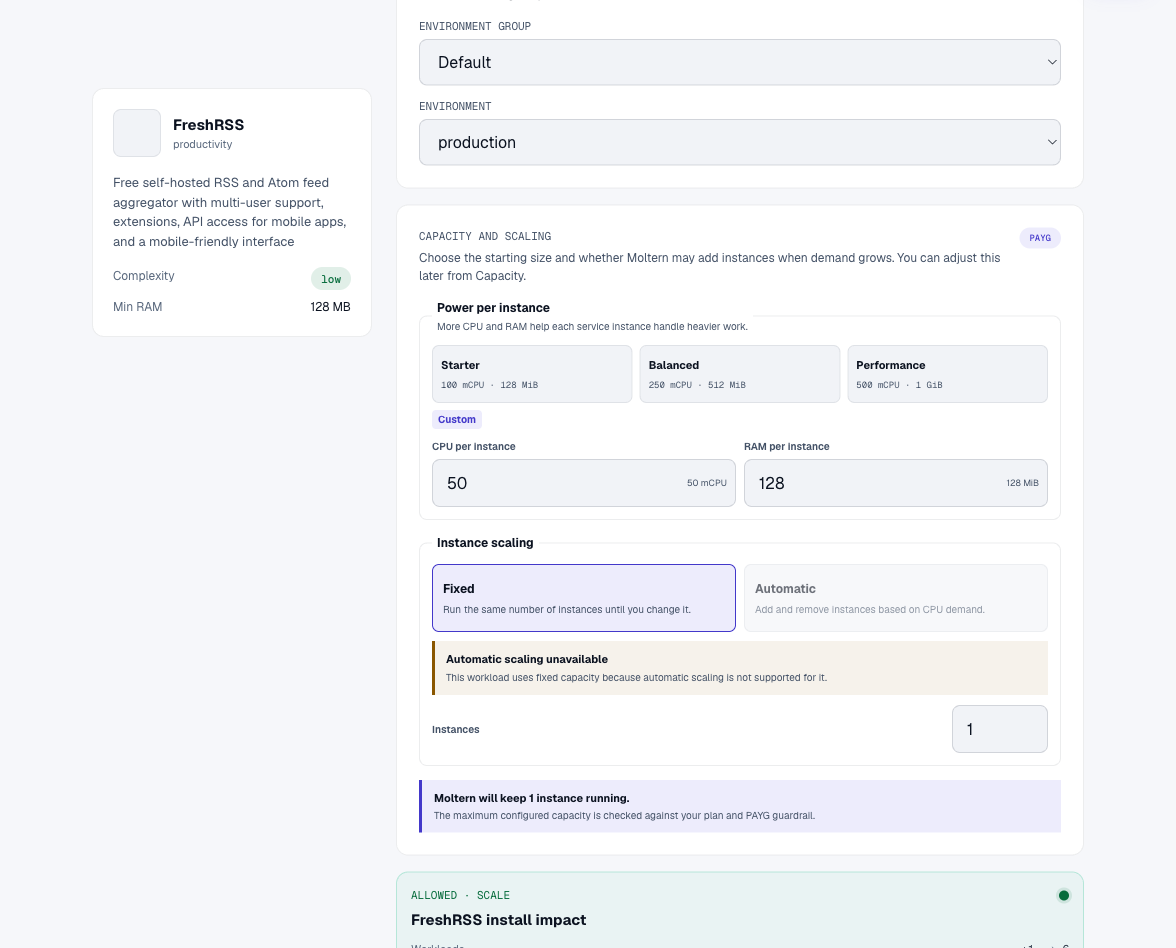
This template uses workspace filespace rather than adding a dedicated volume. Stored articles still consume space. A zero dedicated-storage preview is not unlimited storage.
Complete The Five-Step Installer
- Language: choose the reader language and select Submit.
- Checks: confirm the PHP and writable-directory requirements pass, then select Go to the next step. Do not ignore a failed requirement.
- Database configuration: keep SQLite for the workflow documented here.
- General configuration: choose the default username and a strong password. Keep password-based web authentication enabled.
- This is the end: choose Complete installation, then sign in.
Do not share an unfinished installation URL. FreshRSS credentials belong to FreshRSS, not to your Moltern login. Store them in a password manager. Moltern cannot necessarily reveal a password created or changed inside another product.
Add A Feed And Read An Article
- Open Subscription management.
- Choose Add an RSS feed.
- Paste the publisher's feed into Feed URL, then choose Add.
- Confirm that the feed title and article count appear, without a timeout.
- Return to Main stream and open an article.
- Read its content and verify that its title/source match the publisher.
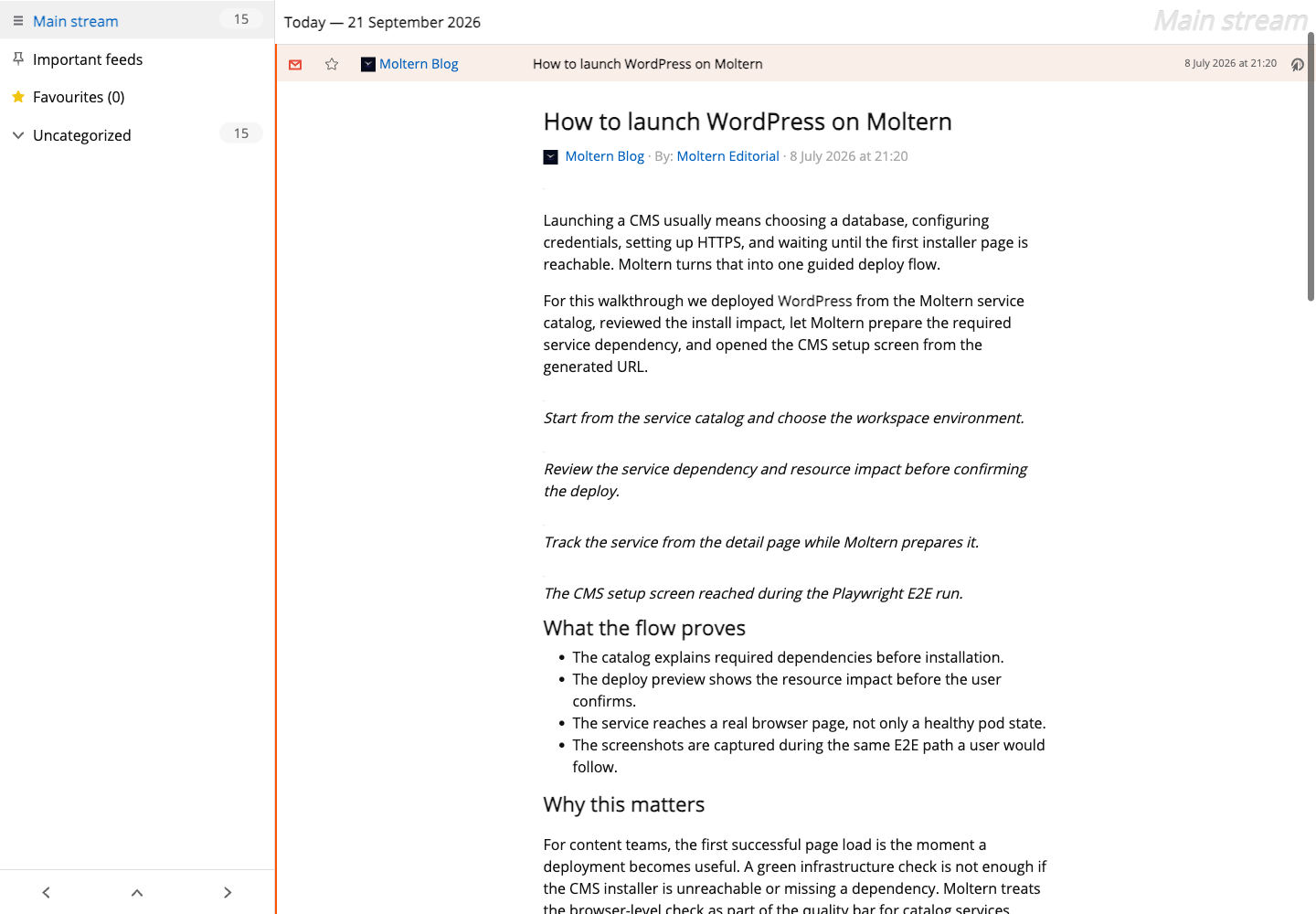
Feed settings allow categories, visibility and refresh intervals. Mark as read updates reading state; favorites keep useful articles easy to find. A feed may include full articles or only summaries, depending on the publisher. Fetching full content is a separate setting and may not work for every website.
The corrected template permits public web downloads without granting blanket private-network access. Do not disable TLS verification to bypass a failed connection. Private endpoints and feeds requiring credentials need deliberate configuration and an authorized connection.
Import, Export And Client Access
Subscription management > Import / export provides subscription transfer. An OPML export describes feeds and categories; it is not a complete backup of accounts, article contents, read state and all settings. Inspect an export before deleting the original service and test importing it into a disposable reader.
Mobile apps and other API clients require FreshRSS-supported authentication and configuration. Network access alone does not authorize the client. Keep tokens and passwords out of URLs, repositories and screenshots. API and coding-agent grant/revoke flows have not been certified in this guide.
Adding feed HTTP credentials authorizes that individual source. Do not reuse your Moltern password. No email delivery or password-reset capability should be assumed merely because the web reader is running.
Persistence, Capacity And Recovery
FreshRSS keeps its reader data in this service's workspace allocation. Before trusting it with your only reading archive, add a disposable feed, restart the service, and check the original subscription and reading state without importing again. A successful restart is not equivalent to a backup restore.
Use Moltern Capacity for resource changes and Live Logs for startup and feed-fetch failures. Startup can take longer after placement on a different worker. A brief unavailable page during replacement does not by itself prove data loss.
Keep an independent backup and test recovery. Avoid changing database paths or deleting files to solve a login problem. In Billing > Storage by workload, measurements are periodic; small readers can display a rounded zero GiB despite having nonzero bytes. Exact billing lifecycle validation is tracked separately.
Troubleshooting
| Symptom | What to check |
|---|---|
| Every feed times out | Older installations may need the corrected download configuration. Provide support the service ID and a harmless failed feed URL. |
| A single feed fails | Verify that it is a feed endpoint, publicly reachable and not requiring a browser session. |
| No complete article body | The publisher may provide summaries only. Full-content extraction is not guaranteed. |
| 503 during startup | Wait for service readiness, then reload before changing configuration. |
| Installer reports unwritable data | Stop setup and inspect Moltern logs. Do not solve this by making all workspace data publicly writable. |
| Forgotten product password | Use your documented recovery method or administrator; do not delete the reader. |
Delete Or Keep Reader Data
Export subscriptions and back up important data first. In Moltern select Delete Service, review the scope and choose whether to delete stored data or keep workspace files. Complete account confirmation when prompted.
Keeping files continues to use workspace storage. Wait for cleanup before expecting space to be reclaimed. Never remove the shared workspace allocation to clean up a single reader.
Frequently Asked Questions
Do I need to deploy another database?
Not for the SQLite setup documented here. Other database options require separate credential, connectivity, migration and recovery validation.
Why does the preview show no dedicated storage?
FreshRSS uses the workspace filespace. That avoids another dedicated volume; it does not mean articles take no space.
Is an OPML file a full backup?
No. It transfers subscriptions, not every piece of reader data or configuration.
Can I make the reader public?
Keep authentication enabled for private subscriptions. A public URL and HTTPS are not substitutes for application-level access control.