Directus
Directus adds a content studio and APIs to a SQL database. Use it to manage structured content for your applications without building an administration UI. The current Moltern template uses PostgreSQL, not an embedded SQLite database.
Before You Start
- Choose a workspace and environment, and confirm your role permits deployment.
- Use an administrator email you control and keep the Directus password safely.
Use a complete email address on a normal public domain. Internal-only suffixes
such as
.localare rejected by Directus during account creation. - Review the capacity of both Directus and its PostgreSQL dependency. A database needs its own running resources even when it uses workspace storage.
- Decide whether this is a new content project or an intentional connection to an existing database. Make an independent backup before changing existing data.
- Do not reuse a production database merely because it appears in the selector. Confirm ownership, schema compatibility and the permissions Directus will receive.
Deploy With PostgreSQL
- Open Services, choose Directus, and select an environment.
- Review the starting capacity.
- Enter your own Admin email and Admin password. These are your initial Directus credentials, separate from your Moltern account.
- Select Preview deploy to review the required database.
- Choose Create a new PostgreSQL, or Use an existing PostgreSQL and select a compatible service in the same environment. Refresh the preview after changing the selection, then confirm deployment.
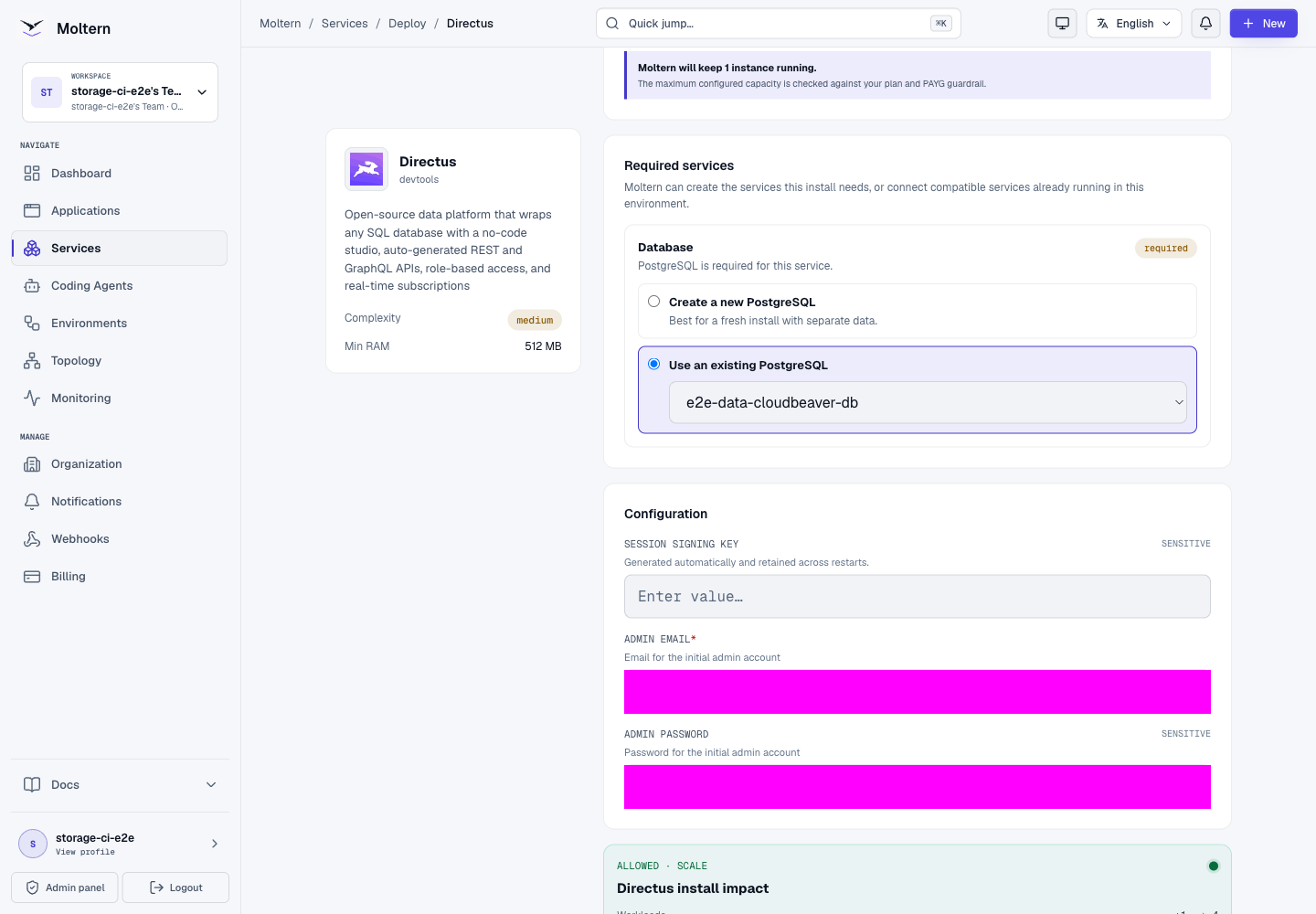
Prefer a separate database for a new project. Reusing a database grants Directus access to that database and creates Directus system tables in it. Review existing data and permissions before connecting an important database.
New Or Existing Database?
| Choice | Ownership and operational implications |
|---|---|
| Create a new PostgreSQL | Moltern creates a managed dependency. Review both services in capacity and deletion previews. |
| Use an existing PostgreSQL | Select a compatible service in the same environment. It retains its own lifecycle and may have other consumers. |
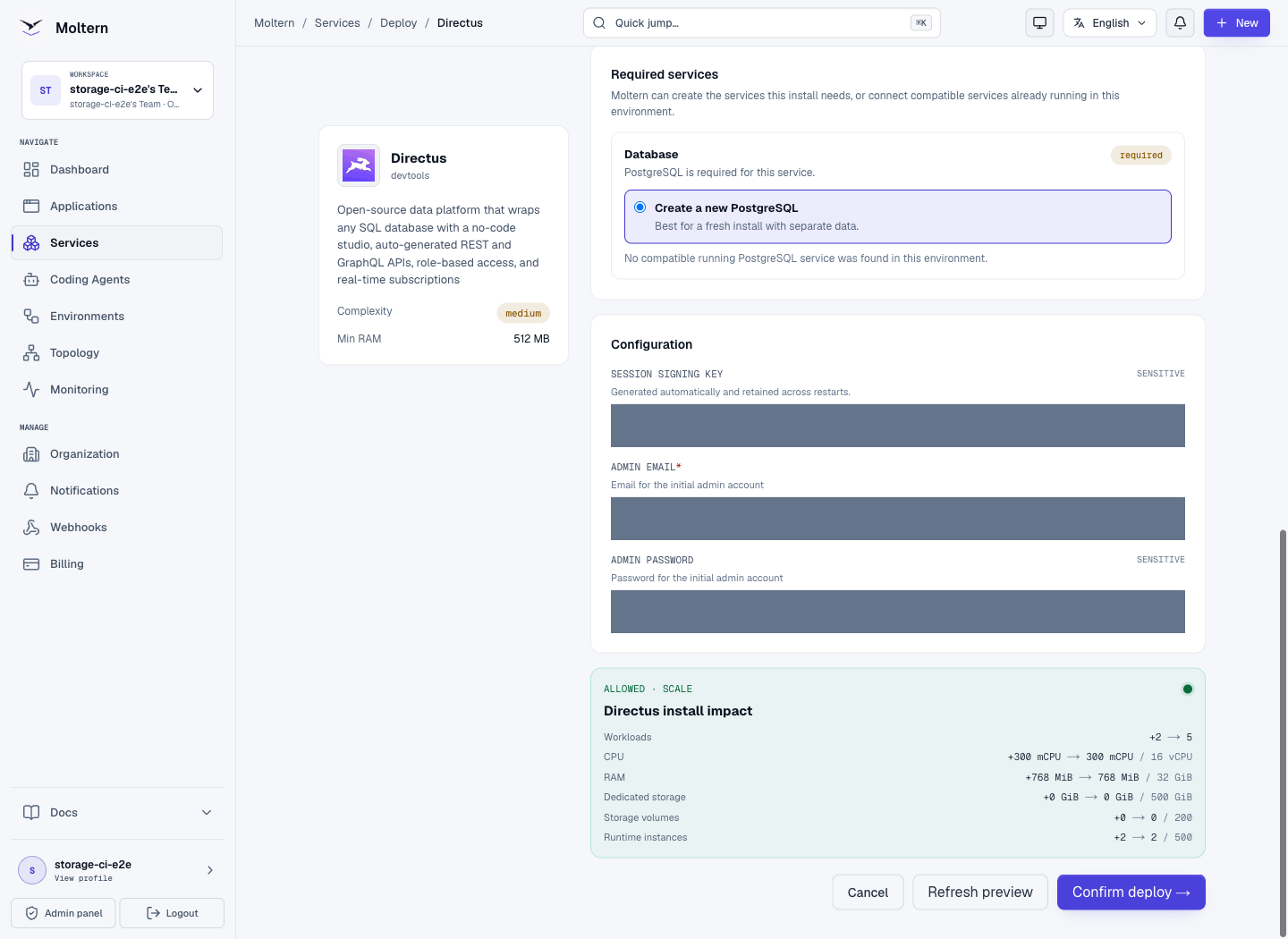
The preview can show zero Dedicated storage while including two workloads. That means the files use workspace storage, not that the application and database store no data. Installation waits for the database before configuring Directus. If the dependency fails, open that service's logs instead of repeatedly creating another Directus instance.
Sign In And Create Content
After deployment completes, open the service URL and sign in with the administrator email and password you entered. Database initialization runs during deployment; there is no separate browser-based database installer.
- Choose Create Collection, enter a unique name such as
customer_notes, and keep an appropriate primary key. - Continue through optional fields and confirm creation.
- Select Create Field > Input, use
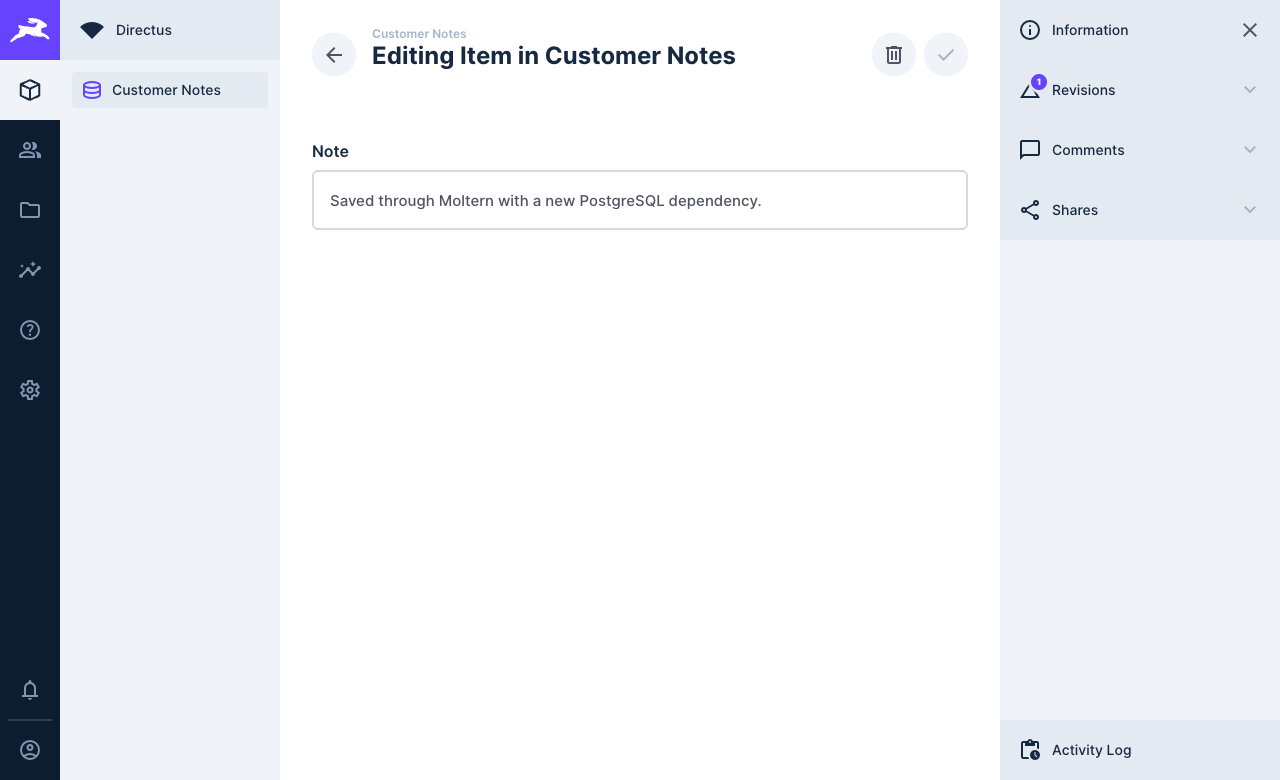
noteas the key, and save it. - Open Content > Customer Notes, choose Create Item, enter a note, and save using the checkmark.
- Reopen the item to confirm the saved value.
Upload Files
Open File Library, select Add File, and choose a file from your computer. After upload, open it to inspect the preview and metadata. Do not upload private customer data to a disposable test service.
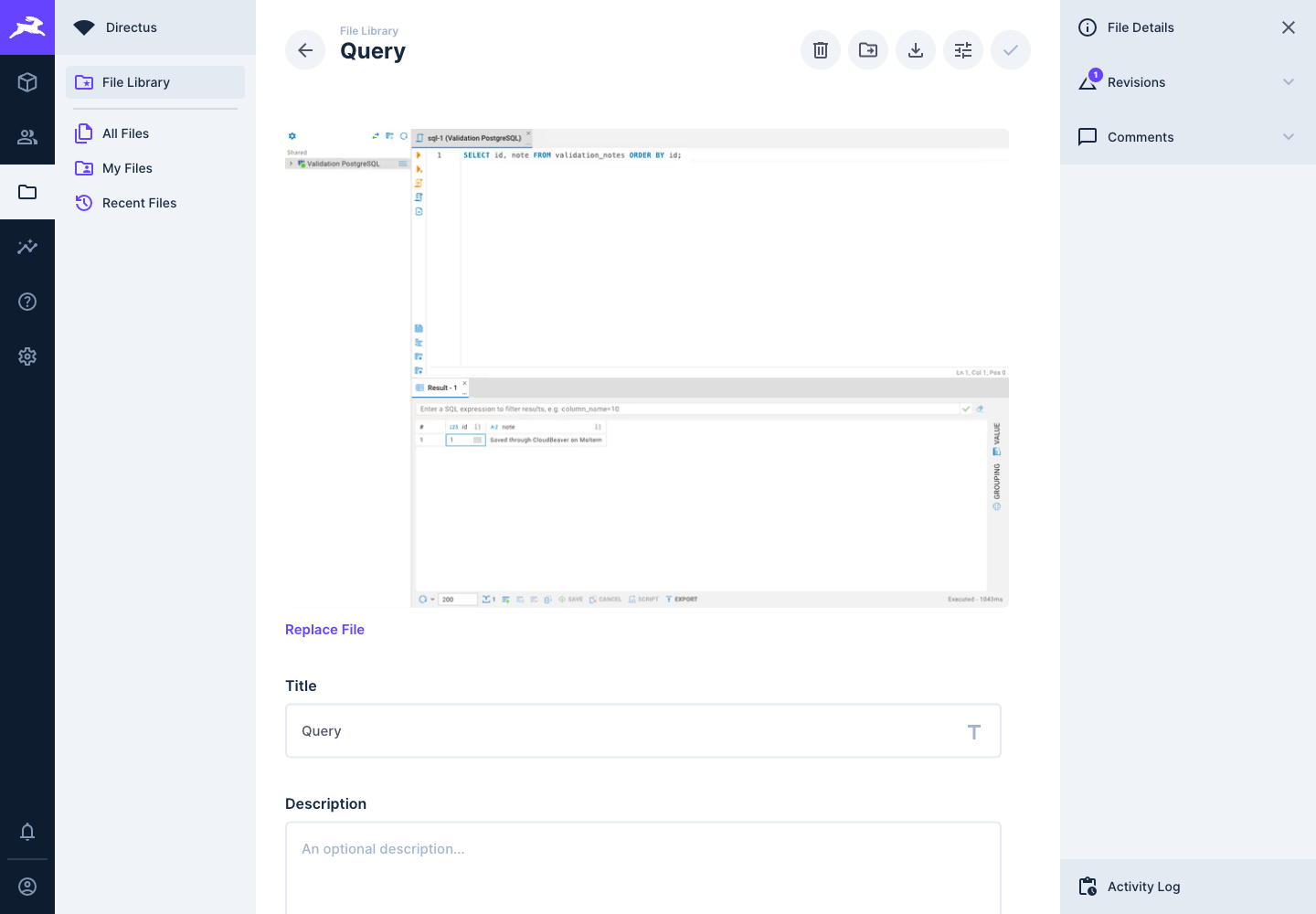
Collection records are held in PostgreSQL. Uploaded files use the service's persistent storage. Both matter when planning deletion, backup or recovery.
Connect An Application Or Agent
Directus offers REST and GraphQL APIs, but an accessible URL alone does not grant permission to read or write content. Configure an appropriately scoped Directus account or policy, then supply credentials securely to the client. Do not use the initial administrator password as a shared public application token.
A Moltern private-service attachment controls connectivity and supported connection context. Directus's own roles and policies still decide which collections a client can read or change. Check both layers when troubleshooting an unauthorized request. End-to-end least-privilege API access is a separate gate from the administrator content workflow below.
Capacity, Usage And Recovery
Use Moltern Capacity to review changes to the parent and its managed database. A resource change may replace a runtime and interrupt requests. Do not assume a single-instance service provides uninterrupted upgrades or automatic failover.
Inspect Live Logs on both workloads when startup fails. Database readiness, connection errors and application initialization are different failure stages. Avoid sharing logs that contain credentials or sensitive content.
In Billing > Storage by workload, review uploaded-file and database usage. The readings are collected asynchronously. A zero-GiB display can be rounding or a not-yet-refreshed measurement, not proof that files or records are absent.
For a restart check, save a disposable collection record and upload a test file. Replace or restart the runtimes, then reopen the original record and file without writing them again. This checks persistence, not backup or disaster recovery. An independent recovery plan must cover the PostgreSQL data, uploaded files and configuration needed to access them. Practice restoration separately.
What Was Verified
The live test used Moltern's deployment form and an existing private PostgreSQL service. Administrator login, collection and field creation, saving and reopening a record, image upload and image preview all passed.
The record survived stopping and starting both Directus and PostgreSQL with replacement runtimes. The uploaded image survived another Directus runtime replacement. A later storage collection reported nonzero bytes for the uploaded files and database. This is not an invoice, load, backup or full API-permission certification.
A separate fresh test used Create a new PostgreSQL. Login, collection and field creation, saving a note and reopening it also passed. Both workloads use separate persistent workspace paths; zero dedicated storage in the preview does not mean that the database stores no data. The invalid-email bootstrap case in Troubleshooting remains an open limitation.
The note survived replacement of both new runtimes. An uploaded original also survived with an identical checksum, but its generated image preview failed after an interrupted transformation. Original-file persistence is therefore verified for that test; preview recovery is not. Keep independent copies of important files.
Troubleshooting And Cleanup
Unavailable immediately after Start: initialization takes time. Wait for readiness and refresh; inspect Live Logs if startup does not complete.
Cannot sign in: use the Directus administrator email and password, not your Moltern password or PostgreSQL credentials. Keep your chosen credentials in a password manager.
First-admin email validation failed: a runtime can become healthy even after initial account creation failed. Keep the startup error and contact support; do not erase a populated database or repeatedly redeploy it to fix the login. Use a valid administrator email before starting a new disposable installation.
Broken image preview after restart: a generated preview can be empty even when the original file is intact. Check the original download and contact support with the affected file and restart time. Do not delete the original or its database record to repair a preview. Preview recovery after interrupted generation remains under validation.
Existing database not offered: it must be compatible and in the selected environment. Refresh the deployment preview after changing environments.
Deleting Directus: read the deletion preview. A separately created database that you selected is not automatically deleted with Directus. Its collection records and system tables remain until you deliberately remove them or delete that database. Only delete a reused database after checking all its consumers.
Frequently Asked Questions
Do I enter PostgreSQL credentials at the Directus login screen?
No. Use the Directus administrator email and password configured during creation. Moltern prepares the selected database connection during installation.
Can two services use the same PostgreSQL?
Only reuse a compatible database deliberately. Access to the same database can expose existing schemas and data to the new service. Selecting it does not automatically provide an independently isolated database for each consumer.
Does deleting Directus delete a reused database?
A separately created database you selected is not automatically deleted with Directus. A newly auto-provisioned dependency is part of the managed service tree. Always read the deletion preview and storage-retention choice first.
Does cloning Directus copy its content?
Do not assume it does. Treat configuration cloning, database copying and uploaded file migration as separate operations until the clone preview explicitly states otherwise. Check the new service before removing its source.
Does the completed browser test prove every API permission is safe?
No. The verified workflow covers administrator setup, content, uploads, runtime replacement and measured storage. API policy testing, load, invoice reconciliation and full recovery still need their own evidence.