PocketBase
PocketBase provides a compact application backend with collections, records, authentication, files, and an administrative interface.
The browser workflow and a stop/start persistence check passed on a disposable installation. Concurrent-write durability, backup recovery, and complete usage accounting remain under review. Do not treat this walkthrough as production storage certification.
Deploy
- Open Services, find PocketBase, and choose Deploy.
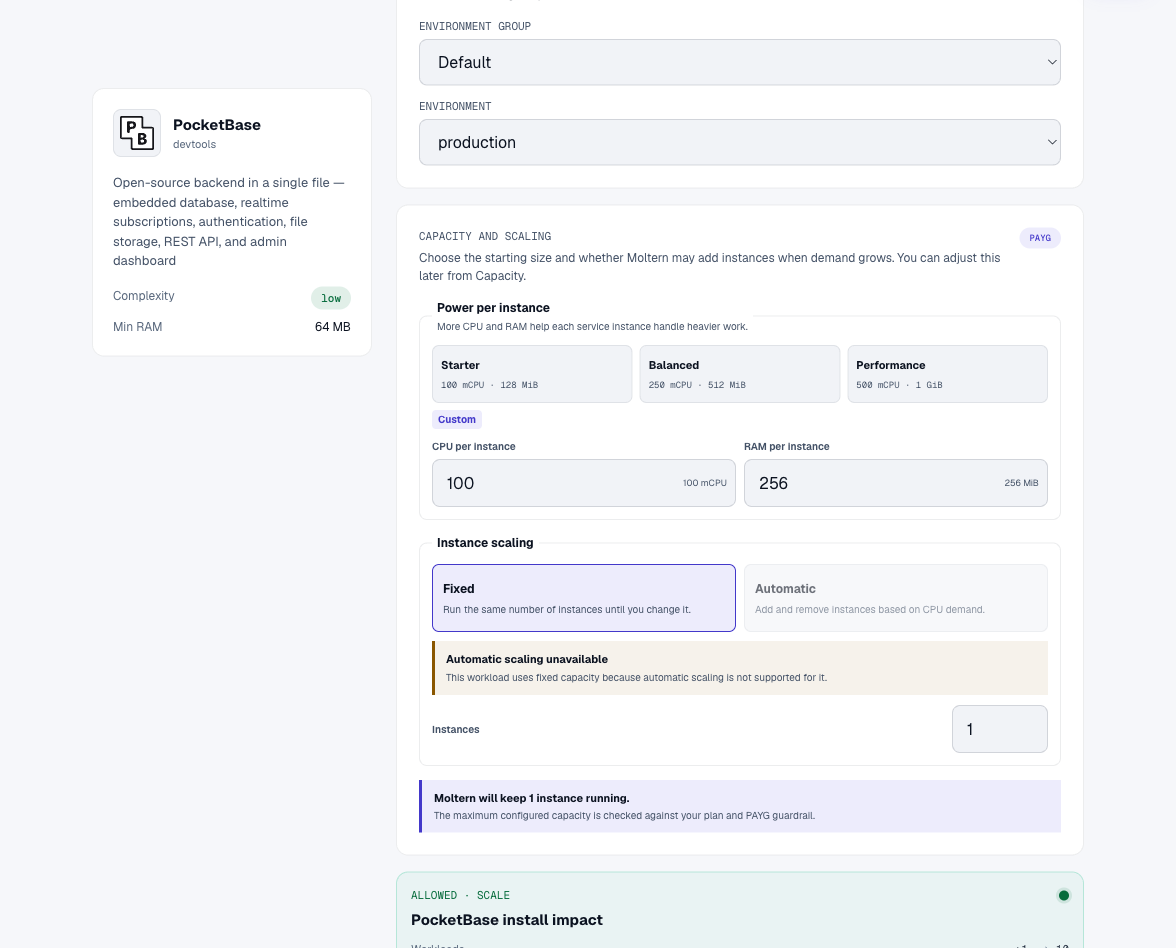
- Choose a name, environment, and capacity.
- Review Preview deploy and confirm the installation.
Create Your First Administrator
The current template does not create an administrator automatically. Opening
the public URL with /_/ shows the superuser login screen, not an account that
uses your Moltern password.
- Open the service's Live Logs after its first startup.
- Locate PocketBase's first-superuser setup link. It contains a temporary secret; do not share or screenshot it.
- Open that link using your service's public HTTPS hostname, preserving the setup path and fragment. Do not use the listening address printed in the log as a public hostname.
- Enter your administrator email and a strong password, confirm the password, and choose Create superuser and login.
If the setup link has expired or no longer appears, do not guess a default password. Ask your workspace administrator for help completing initialization.
Create A Collection And Record
- Choose New collection and give it a name, such as
validation_notes. - Add a Plain text field, then create the collection.
- Choose New record, enter a short test message, and save it.
- Reload the page and confirm that the record is still listed.
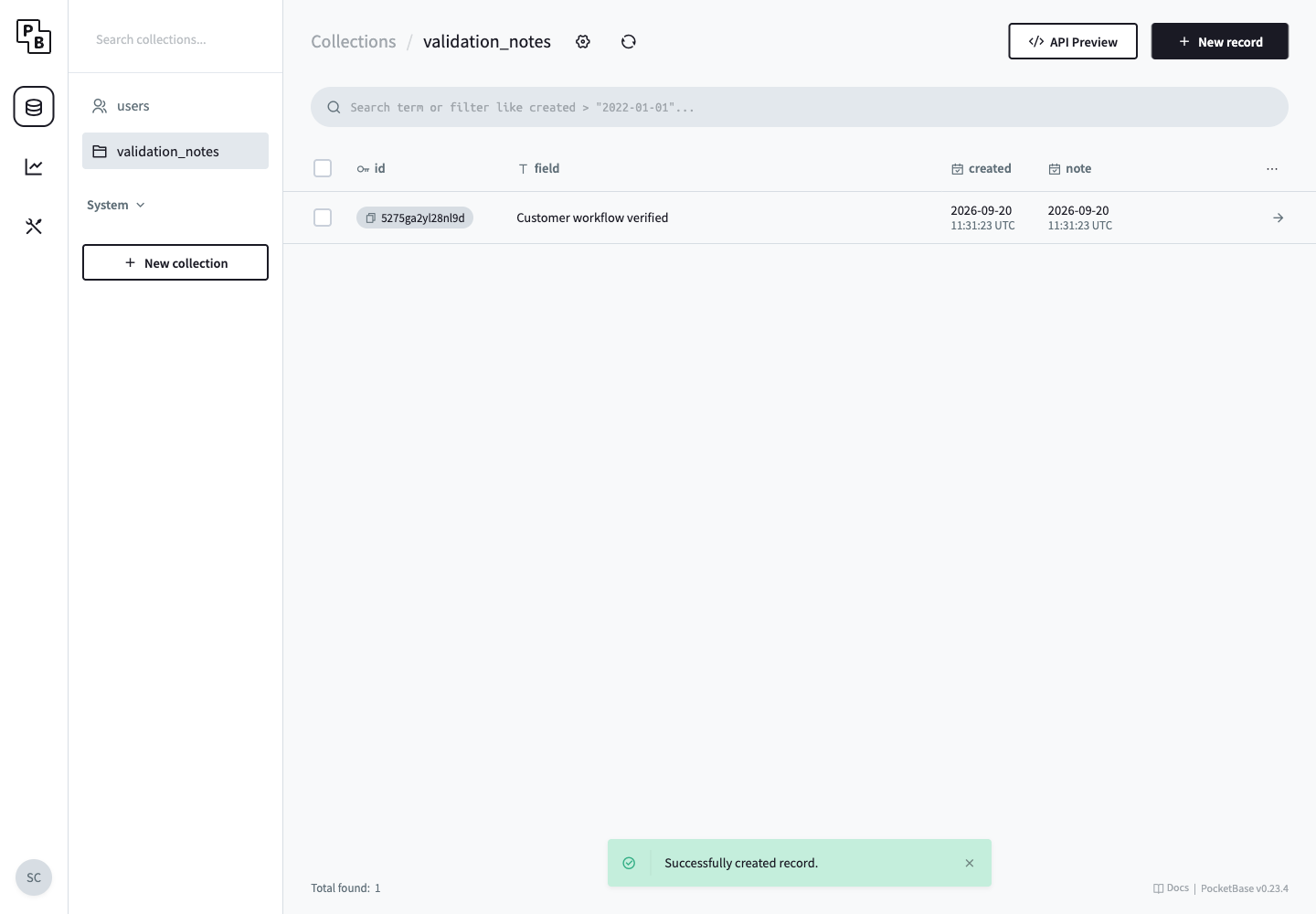
The screenshot shows a real saved test record. The collection's API rules are separate from administrator login: review them before allowing an application or an unauthenticated client to read or write records.
Stop, Start, And Delete
The tested record remained available after Stop service, removal of the runtime, and Start service. Keep backups before changing important data; this single restart check is not a substitute for recovery testing.
When deleting the service, review Delete stored data versus Keep workspace files. Retained files continue to consume storage. Cleanup can take time after the service disappears from the list.