CyberChef
CyberChef combines data operations into recipes. Use it to inspect or transform text, encodings, and files without writing a script. This catalog service does not require a database or a CyberChef account.
Deploy on Moltern
- Open Services, choose Deploy service, and search for CyberChef.
- Enter a service name and choose its environment.
- Review Capacity and scaling. Our functional test used Starter: 100 mCPU, 128 MiB, and 1 fixed instance. This is a tested starting point, not a recommendation for every workload.
- Select Preview deploy, review the allowance, then Confirm deploy.
- Wait for Running, then select Open to visit its HTTPS address.
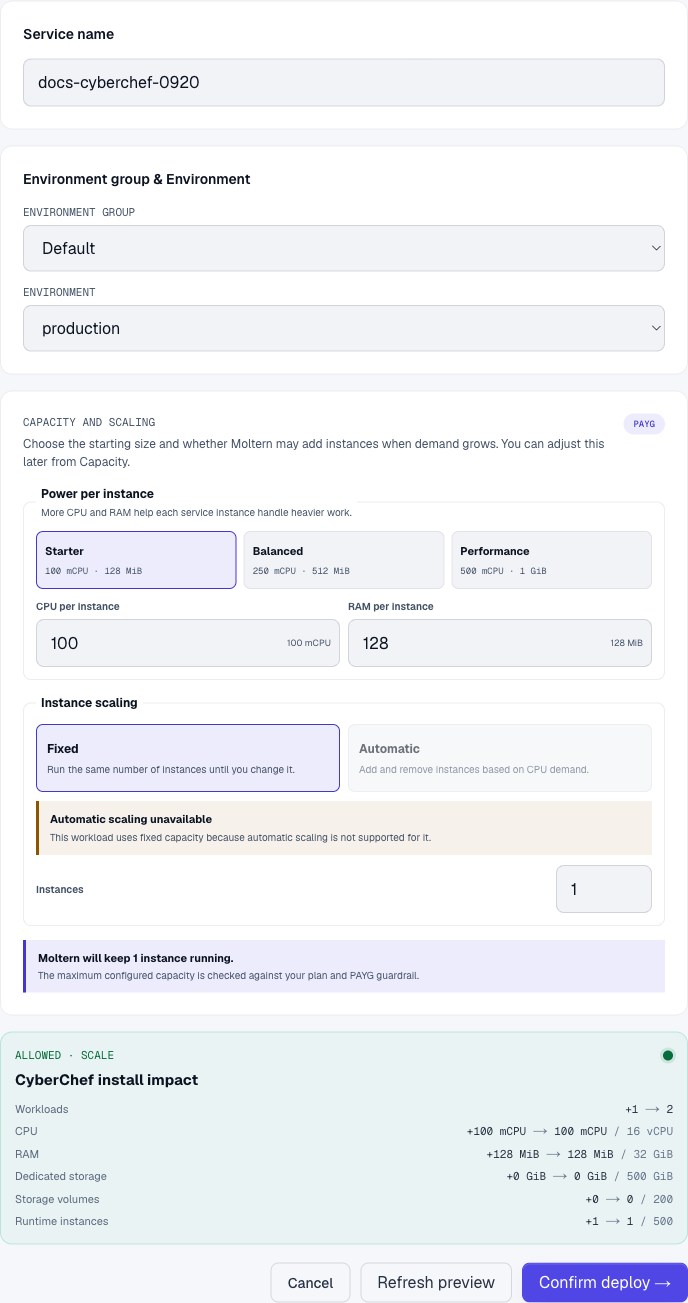
The tested service opens without a login screen. A generated URL is not access control. Start with non-sensitive sample data rather than credentials.
Create a Recipe
- Double-click To Base64 in Favourites to add it to Recipe.
- Enter
Moltern browser tools checkin Input. - With Auto Bake selected, Output becomes
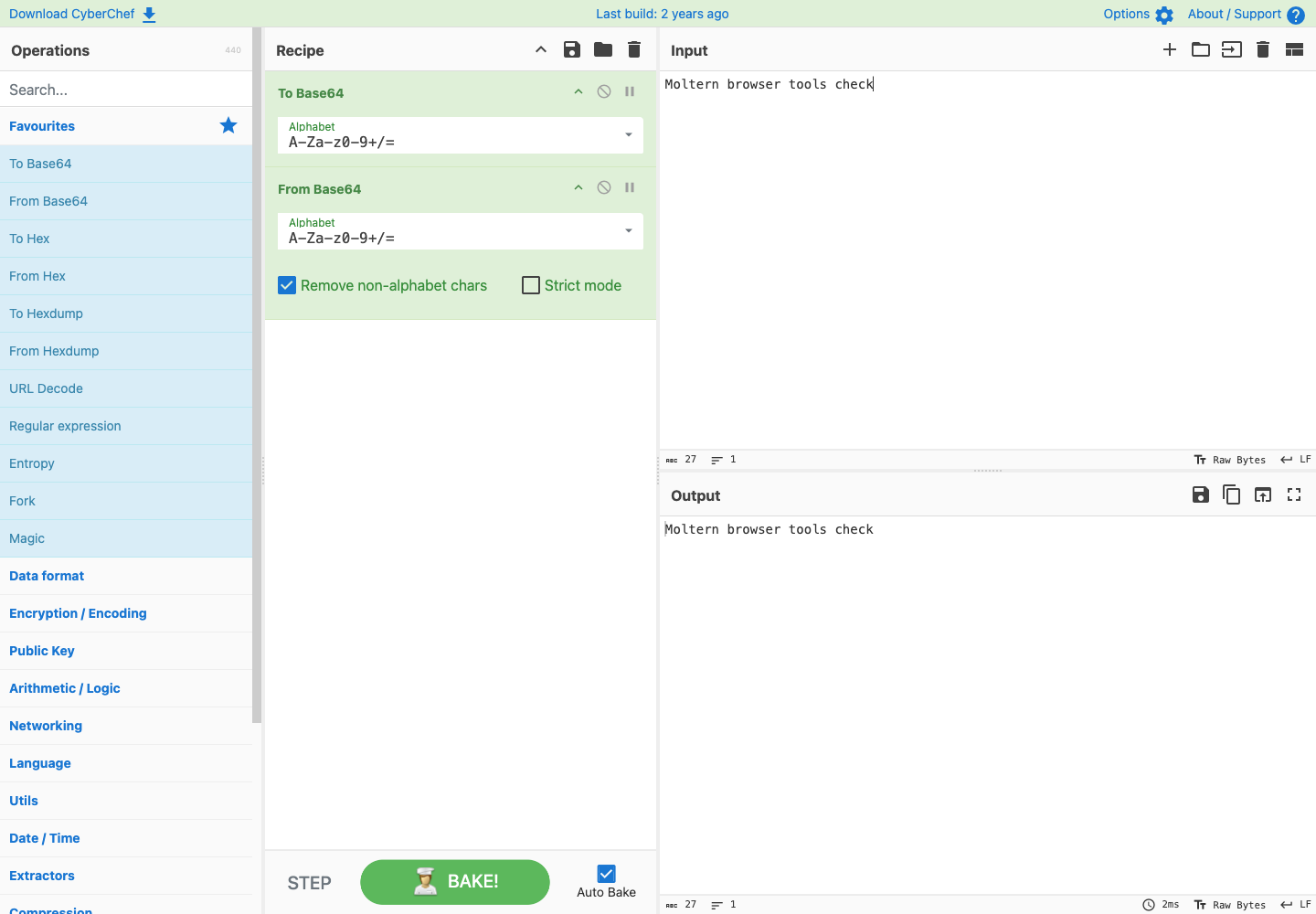
TW9sdGVybiBicm93c2VyIHRvb2xzIGNoZWNr. - Double-click From Base64. The two operations run in order, returning the original text in Output.
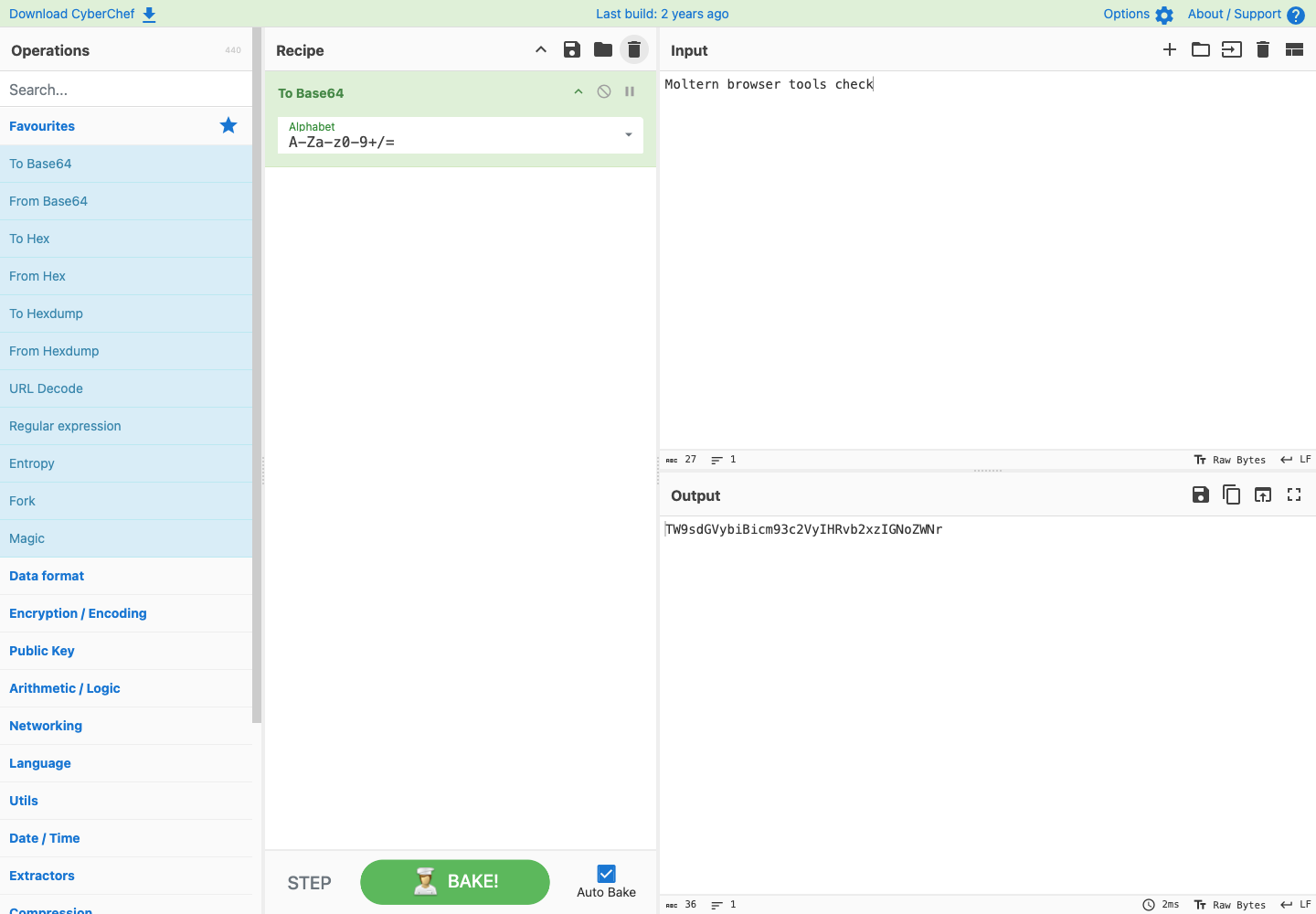
Base64 is an encoding, not encryption. Adding a decoding operation demonstrates the recipe's order; it does not make the input confidential.
Save and Reuse the Recipe
Select Save recipe, give it a name such as Moltern round trip, and choose
Save. After reloading the page, choose Load recipe, select the saved name,
and choose Load. Enter your input again and check the output.
Saved recipes belong to this browser and site address. Clearing site data, changing browser profiles, or changing the service URL can make them unavailable. Keep a separate copy of important recipes and results; this deployment does not provide a server-side document backup.
Manage the Service
- Capacity controls the runtime serving CyberChef. Large transformations can also depend on the memory and performance of the visitor's browser.
- Stop service and Start service pause and resume the runtime. Our saved recipe loaded successfully in the same browser after a stop/start.
- Billing shows reserved compute. This template adds no persistent service data volume; browser-local recipes are not shared workspace files.
- To remove the runtime, use Delete service and confirm the requested action. Save anything important first; deleting the runtime is not a browser-data backup.
Troubleshooting
| Symptom | What to check |
|---|---|
| Output does not update | Enable Auto Bake or select Bake!; check operation order and input format. |
| A saved recipe is missing | Check the browser profile and site URL, and whether site data was cleared. |
| A large input freezes the tab | Try a smaller sample and inspect browser memory usage before changing server capacity. |
| The URL is unavailable | Check Moltern deployment progress, service state, and Live Logs. |
Verification Scope
Checked 20 September 2026, CyberChef 10.19.4: deployment, HTTPS access, Base64 round trip, saved-recipe reload, stop/start, current compute reservation, and deletion. Screenshots are from that real deployment with test input. File export, every recipe operation, load testing, and invoice reconciliation are not covered by this check. This guide does not promise an agent-facing API.