Verdaccio
Verdaccio hosts npm packages for your projects and can cache downloads from a public upstream. Use it for internal libraries and controlled package distribution. The registry account is separate from your Moltern account.
The corrected template requires authentication for package reads and writes and disables open account registration. Existing accounts and package files are preserved. Review existing account trust before upgrading an older registry: previous templates allowed public reads and unrestricted registration.
Before You Start
You need service-creation access in Moltern and an npm-compatible client on your computer or build environment. Start with a harmless package you own. Do not test with proprietary source before checking anonymous access denial.
The chart has no external database dependency. Package archives, registry metadata and account hashes belong to the service's persistent storage. Choose a strong registry-owner password of at least 16 characters, or keep the securely generated credential. The owner name accepts letters, digits, dots, underscores and hyphens and must begin with a letter or digit.
Use a single fixed instance for the tested configuration. Increasing replicas against one package directory is not a validated highly available registry.
Deploy In Moltern
- In Services, select Verdaccio.
- Enter a service name and select the environment.
- Review the Registry owner and Registry password fields.
- Check capacity and storage in Preview deploy.
- Confirm deployment and open the service after startup completes.
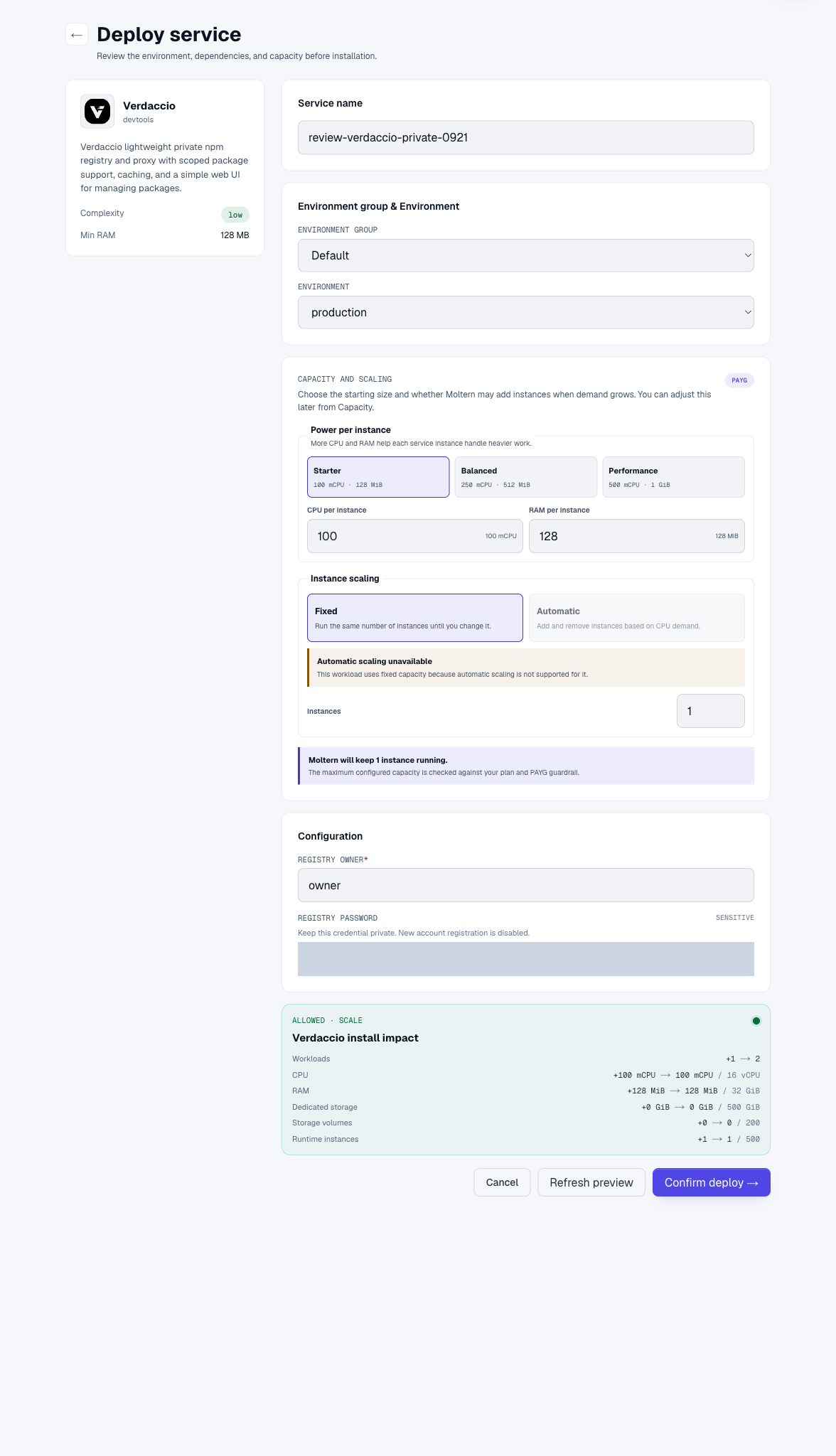
The owner account is initialized on a fresh deployment. Passwords are stored securely; use Settings > Connection details and the required account confirmation when retrieving values available to your role.
The generated URL serves the registry web interface. Its empty page does not prove publication works. Continue with a real publish and install test.
Sign In And Publish A Package
Use the deployment's registry owner and password in the product's Login dialog. Do not attempt to create a second account from the default upstream empty-state instructions: open registration is intentionally disabled.
For npm, use your actual service URL and log in with the existing owner:
npm login --auth-type=legacy --registry "https://YOUR_REGISTRY_HOST"
Use the interactive credential prompt rather than placing a password in command history. Keep generated npm credentials out of repositories. Scope client configuration to this registry and project, not every unrelated project on your computer.
From a package directory containing a valid package.json, source files and
README, review the archive before publishing:
npm pack --dry-run
npm publish --registry "https://YOUR_REGISTRY_HOST"
Check that no secrets, private configuration files or unnecessary build outputs are included. Publish a new version for later changes rather than overwriting an existing release.
Refresh the Verdaccio interface and open the package. It should show your README, version, description and installation command.
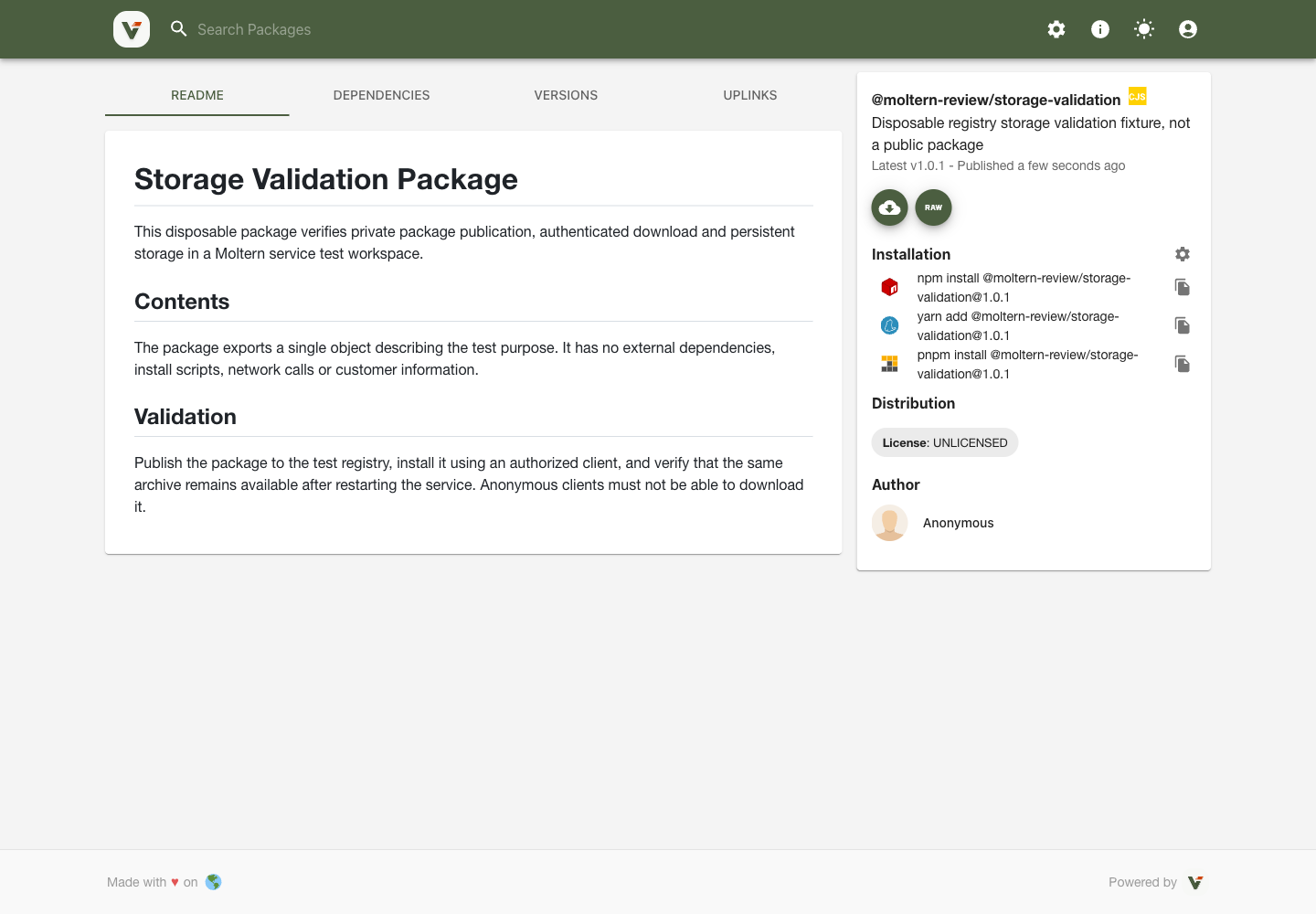
In the live test, two versions of a disposable package were published using a real npm client. The authenticated API returned the package metadata and archive; anonymous requests to both were denied401.
Install From Another Project
Authenticate the client for the same registry, then install the exact version:
npm install @YOUR_SCOPE/YOUR_PACKAGE@1.0.0 \
  --registry "https://YOUR_REGISTRY_HOST"
Verify that the package is present and the expected exported functionality works. An archive download alone does not prove an application's dependency resolution or build succeeds.
Use separate credentials and minimum necessary access for automated clients. The initial owner can publish and read registry packages; it is not a read-only application identity. Browser session tokens are not interchangeable with npm API tokens. Use the supported npm authentication flow.
An agent or application also needs the intended Moltern private connection scope. A public URL by itself is not package authorization, and the complete agent attachment/revocation workflow is still awaiting validation.
Public Upstream And Private Scopes
The corrected template allows authenticated clients to fetch unscoped public packages from npm. A real upstream lookup returned200 during validation. Package publication does not have to wait for the upstream to be available.
Scoped package names are treated as private and are not forwarded to public npm. This prevents accidental public fallback for those private names, but also means an arbitrary public scoped dependency is not automatically available through this default registry policy. Plan your registry configuration accordingly.
Do not broaden network access to private addresses or disable authentication to solve a package lookup failure. Public npm connectivity and private service attachments are different requirements.
Persistence, Capacity And Backup
Registry package files and account hashes must survive a runtime replacement. Before relying on a deployment, publish a disposable version, restart the service, sign in with the original owner and download that exact version again. Compare its checksum, then install it in a clean client project.
The corrected instance passed this sequence: the original 637-byte archive kept the same checksum after replacement, npm installed it in a separate client directory, and its exported value matched. The owner still authenticated.
The bootstrap preserves existing account files rather than resetting passwords on every restart. Changing a deployment's initial password value is not a tested rotation procedure for an existing registry account. Keep a verified credential-rotation and client-update process.
Keep independent backup copies of package archives, metadata and required account configuration. Test restoration to a separate instance. Full restore, unexpected-write interruption and multi-client load remain outside this guide's completed checks.
Use Capacity for resource changes and Live Logs for startup or publish errors. Billing > Storage by workload updates after measurement; small archives can round to zero GiB. Byte sampling alone does not certify final elapsed-time billing.
Troubleshooting
| Symptom | What to check |
|---|---|
| Account creation rejected | Use the existing managed owner; new public registrations are disabled. |
| Browser login works but npm returns401 | Use npm authentication, not a web-interface session token. |
| Publication reports an existing version | Increment the package version; do not overwrite a published archive. |
| No README on the package page | Include a README in the actual package directory before publishing. |
| Scoped public dependency not found | Private scopes intentionally have no public upstream fallback. |
| Old installation still permits public reads | Verify the corrected template is active and audit existing accounts. |
| Restart loses package files | Stop writing, preserve available copies and contact support with service and time. |
Delete A Test Registry
Remove test client credentials and registry configuration. Preserve a backup of required packages first, then select Delete Service in Moltern. Choose Delete stored data for a disposable registry, or explicitly keep its workspace files. Kept files still count toward storage. Complete account confirmation and wait for cleanup.
Frequently Asked Questions
Can anyone create an account on the corrected template?
No. New registration is disabled. Use the provisioned owner or an explicitly administered account configuration.
Are package names hidden from anonymous clients?
The tested package metadata and archive endpoints denied anonymous reads. Still avoid sensitive names in URLs you share or log.
Can I use it as a transparent proxy for every public npm package?
Not with the private-scope default. Unscoped public packages can use the upstream; scoped names do not fall back to public npm.