Typesense
Typesense provides search-as-you-type, filtering and faceting for application data. Use it as a searchable index of your source records, not as the only copy of orders, customer information or other business-critical data.
Collection creation, document indexing, search, scoped-key restrictions, revocation and original-document readback after an orderly restart were tested against version 27.1. Full disaster recovery, concurrent-load behavior and time-proportional billing remain separate validation work.
Before You Start
You need permission to create a service in the target workspace, an environment, and a client that can send HTTPS requests. Choose non-sensitive sample records before importing production content.
The template has no external database dependency. Search files persist in its own workspace storage allocation. Plan for both the source dataset and the index; their sizes are not interchangeable. Keep one fixed instance unless a supported clustering design has been configured and tested.
Deploy In Moltern
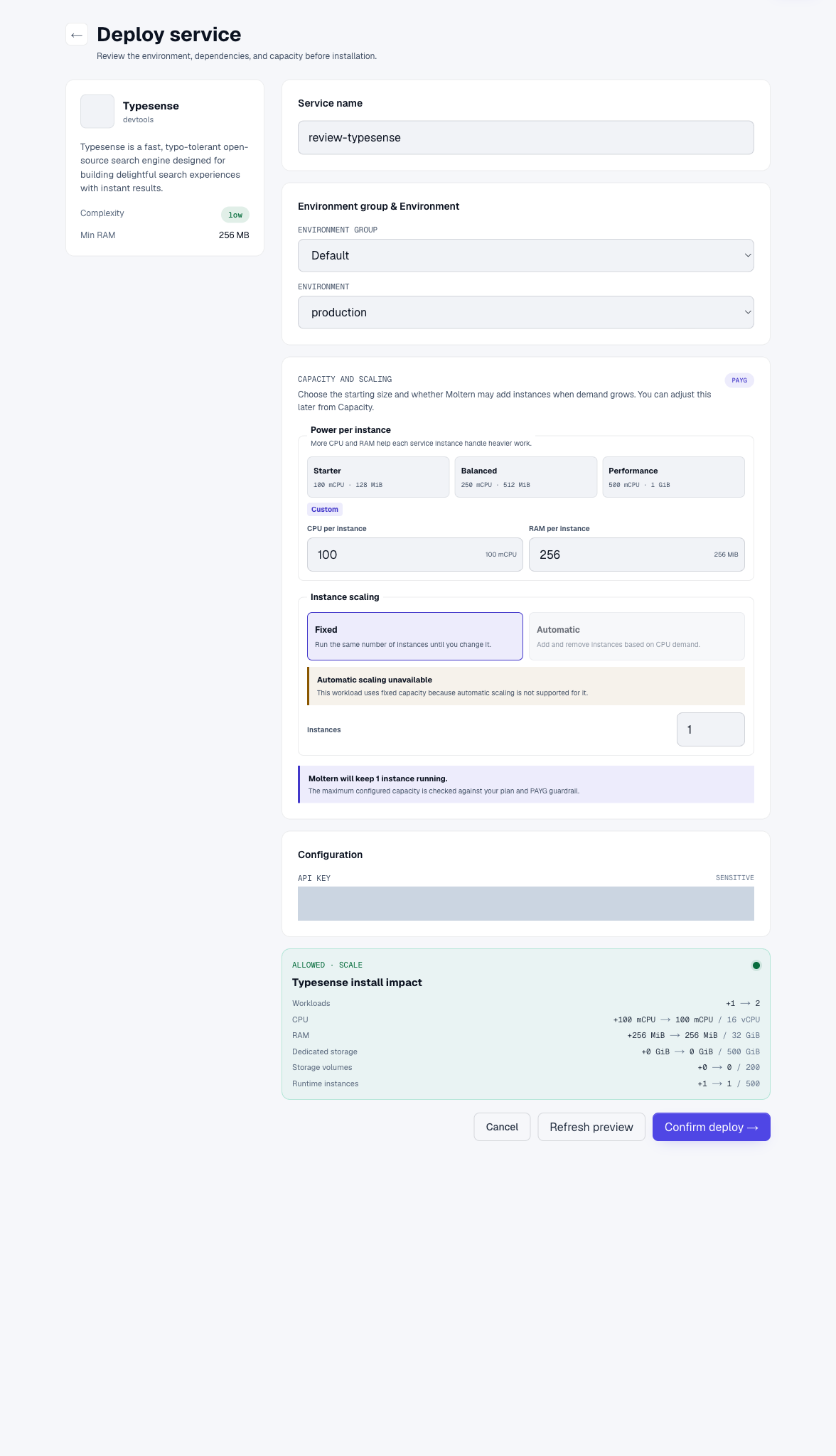
- Open Services and select Typesense.
- Set the name, environment group and environment.
- Supply a strong API key if you want to manage its initial value; otherwise retain the securely generated credential.
- Review CPU, memory and storage in Preview deploy.
- Select Confirm deploy and wait for the running state.
Use Settings > Connection details to access credentials available to your role. Complete the protected confirmation flow if requested. A password chosen for protected connection details is not necessarily your Moltern login password.
Typesense is an API service. Opening its root URL is not a search administration dashboard. A health response proves availability, not successful indexing or appropriate authorization.
Index A Document And Search It
Store the service URL in TYPESENSE_URL and its administrative key in a protected
client secret named TYPESENSE_ADMIN_KEY. Do not embed the administrative key in
browser JavaScript, a public repository or a screenshot.
Create a collection with a schema that matches your records:
curl --fail "$TYPESENSE_URL/collections" \
  -H "X-TYPESENSE-API-KEY: $TYPESENSE_ADMIN_KEY" \
  -H "Content-Type: application/json" \
  --data '{"name":"notes","fields":[{"name":"title","type":"string"},{"name":"category","type":"string","facet":true}]}'
Index a harmless document:
curl --fail "$TYPESENSE_URL/collections/notes/documents" \
  -H "X-TYPESENSE-API-KEY: $TYPESENSE_ADMIN_KEY" \
  -H "Content-Type: application/json" \
  --data '{"id":"first-note","title":"A customer note","category":"review"}'
Query it and check the returned document, not only HTTP status:
curl --fail --get "$TYPESENSE_URL/collections/notes/documents/search" \
  -H "X-TYPESENSE-API-KEY: $TYPESENSE_ADMIN_KEY" \
  --data-urlencode 'q=customer' --data-urlencode 'query_by=title'
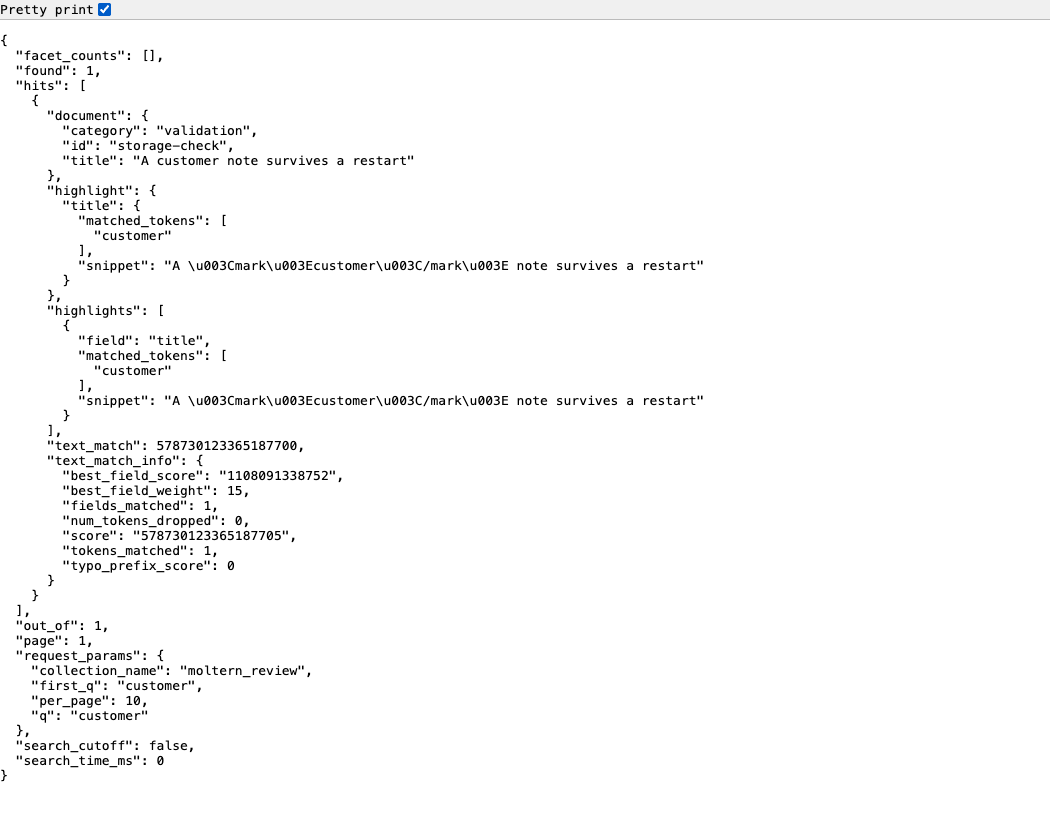
Creation should return 201. Search should return 200 with a matching record
under hits. Retrying collection creation can report that it already exists;
do not delete a populated collection merely to rerun an example.
Give Clients Restricted Access
Create a separate key for each client or integration. Restrict search clients to
documents:search, the required collection names and an expiration. Keep
indexing and administrative keys on trusted servers.
In validation, a search-only key could read the intended collection but could not create documents. Deleting the key through the key-management API prevented subsequent searches. Test both the allowed operation and a denied operation before distributing a credential.
A Moltern private-service attachment grants the configured connection scope; it does not automatically design a secure public search API. An agent needs the intended attachment and application credential. Complete agent attachment and revocation testing is still outstanding for this template.
Persistence, Capacity And Recovery
Save an identifiable document, stop and start a disposable instance, then search for the original record without indexing it again. That sequence succeeded for the documented fixture. A short unavailable period during replacement is expected; inspect Live Logs if startup does not finish.
Keep source records and an index-rebuild procedure. Use a version-compatible Typesense snapshot/export strategy for backup and test restoration into an isolated instance before relying on it. Files remaining after a restart are not proof of a complete or consistent backup.
Use Capacity to review memory and CPU. Indexing and search can require more memory than a small validation collection. Do not enable multiple independent instances against one data directory as a substitute for clustering.
Billing > Storage by workload shows sampled usage, which may lag recent writes and round small indexes to zero GiB. Measured data and reserved runtime capacity are different quantities. Complete billing reconciliation is not certified by this guide.
Troubleshooting
| Symptom | Next check |
|---|---|
| 401 on collections or search | Correct key, header, expiration and collection permissions. |
| Healthy endpoint but no hits | Document was indexed, schema is correct, and query_by names a searchable field. |
| Document rejected | Field types match the collection schema. |
| Browser cannot use the admin key safely | Create a restricted search credential or server-side search endpoint. |
| Restart waits for capacity | Check Moltern status and logs; avoid creating duplicate deployments. |
| Memory-related restarts | Review index size, search load and Capacity before retrying. |
Delete A Test Index
Export or retain source records first. Select Delete Service, choose whether to delete stored data or keep workspace files, and complete account confirmation. Retained files continue consuming storage. Wait for cleanup to finish before assuming all capacity has been released.
Frequently Asked Questions
Is this a database for my application's primary records?
Treat it as a search index. Keep an authoritative dataset and a tested recovery or reindexing process.
Can I put the administrative key in my frontend?
No. Restrict client keys to the minimum search permissions and collections. Never ship collection-management credentials to untrusted clients.
Does a public URL mean anonymous access?
No. Collection access without credentials returned 401 in the tested instance. Do not confuse the health endpoint with permission to read indexed documents.