Rust Starter
Start a Rust HTTP application with Cargo, Axum and Tokio already configured. Use the browser terminal to develop an API, connect a database, or work with a coding agent through a private Git repository.
This is a development workspace, not a production deployment or a browser IDE. Its preview URL is public and does not include application sign-in. Do not put confidential information in the preview until you add your own authentication.
Before You Start
- Select the workspace and environment that should own the project.
- You need permission to create services and open their terminal.
- Allow time for the first dependency download and compilation.
- Have a private repository ready if you want to collaborate with an agent or keep a second copy of your source.
No database, coding-agent subscription, or application password is required for the starter itself. Adding an agent or database is a separate action.
Deploy On Moltern
- Open Services, choose Development frameworks, and select Rust Starter.
- Choose a service name and environment.
- Review CPU, memory and source-storage capacity. The starting configuration requests 250 mCPU and 512 MiB memory, with room to burst up to 2 CPUs and 2 GiB memory.
- Open the deployment preview and review any plan or storage allowance warning before confirming.
- Wait for the application to become ready. The first build downloads the dependencies recorded in
Cargo.lock. - Open the service URL. Enter a name and select Call the API. The page should show a greeting returned by your Rust application.
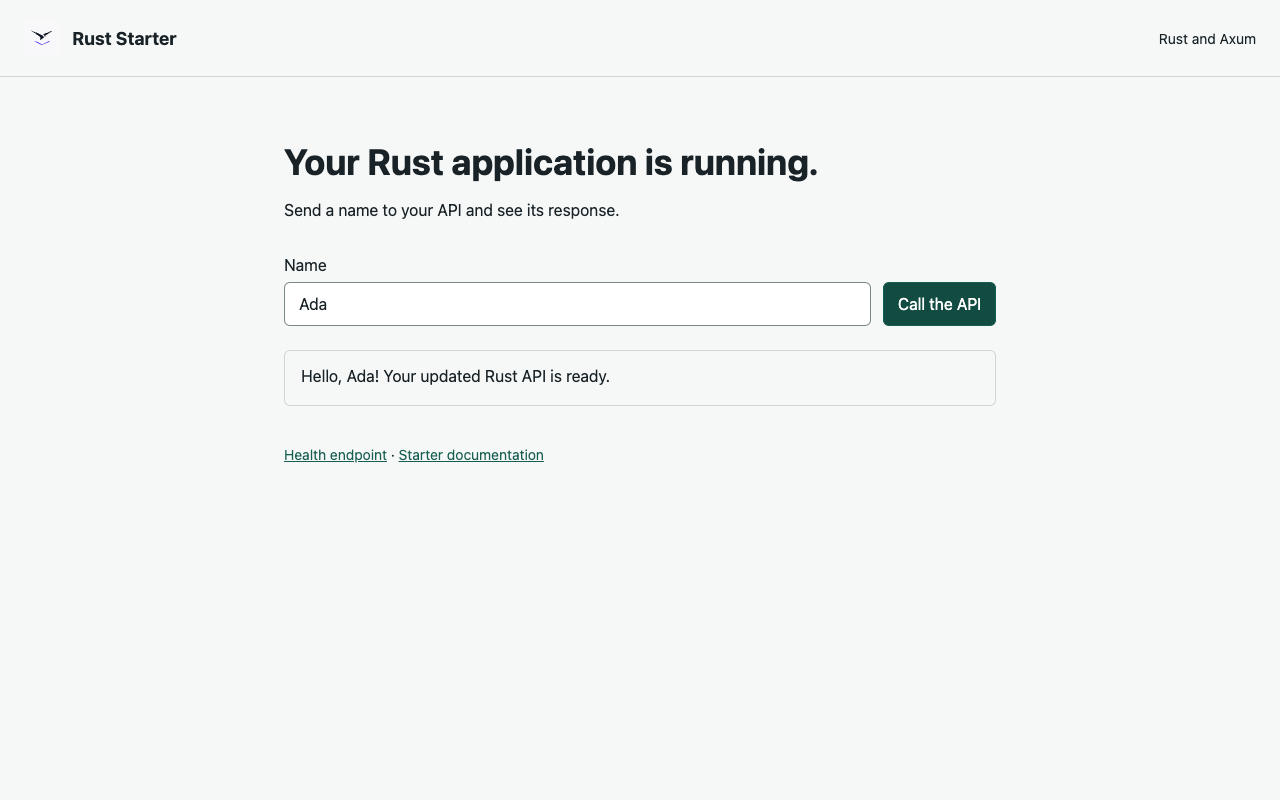
The preview serves a real Rust HTTP application. A failed dependency download or compiler error stops startup; it does not substitute another application for your project.
Project Layout
The source directory is /workspace/app:
app/
  Cargo.toml
  Cargo.lock
  src/
    main.rs
    lib.rs
  static/
    index.html
  .gitignore
| File | Purpose |
|---|---|
Cargo.toml | Package name, binary and dependencies. |
Cargo.lock | Reproducible dependency versions; commit it with the application. |
src/main.rs | Port binding, HTTP listener and graceful shutdown. |
src/lib.rs | Routes, greeting logic and unit tests. |
static/index.html | Browser preview, compiled into the Rust application. |
The starter uses Rust 1.99.1 and the Rust 2024 edition. It listens on 0.0.0.0 and the configured PORT, initially 8080. Keep /health available for readiness checks.
Edit, Test And Restart
Open the service's Terminal tab:
cd /workspace/app
rustc --version
cargo --version
git --version
cargo test --locked
curl --fail http://127.0.0.1:8080/health
curl --fail 'http://127.0.0.1:8080/api/greeting?name=Ada'
Successful checks return passing tests, {"status":"ok"}, and a greeting for Ada.
Edit src/lib.rs to change the greeting or add a route. Edit static/index.html to change the page, then run:
cargo test --locked
cargo build --locked
Use Restart in Moltern to launch the new application. The managed process already owns the preview port: do not start a second server on port 8080 from another terminal. HTML changes also need a rebuild because the starter embeds the page in its binary.
To add a dependency, use cargo add, review the resulting Cargo.toml and Cargo.lock, then test and commit both. Normal startup uses --locked; changing the manifest without updating the lockfile intentionally fails rather than choosing new versions silently.
Work With A Coding Agent
- Open an authenticated coding agent in the intended environment.
- In its Resources settings, select this Rust service and only the access needed for your task.
- Apply the permission change and restart the agent if prompted.
- Give the agent access to a dedicated private repository or feature branch, not all of your repositories.
- Ask it to implement a change and add tests. Run Cargo checks in the framework terminal unless you have explicitly configured a test runner for the agent.
- Review the commit, pull that exact commit into
/workspace/app, test it, and restart the service. - Remove temporary grants and Git credentials when the task is complete.
A service connection supplies the approved resource context; it is not an automatic shared filesystem or an unrestricted shell on that service. Use Git for the source handoff. Provider sign-in and repository authorization are separate.
Example task:
Add a customer feedback endpoint and a small browser form. Keep the health endpoint working, validate input, add Rust tests, and commit the change to our private feature branch.
See Development Frameworks and Coding Agents.
Synchronize With Git
cd /workspace/app
git init
git switch -c feature/rust-api
git status
git add Cargo.toml Cargo.lock src static .gitignore
git commit -m 'Start the Rust application'
git remote add origin https://YOUR_GIT_HOST/YOUR_TEAM/YOUR_PRIVATE_REPOSITORY.git
Set your repository-local author identity before the first commit if Git asks. Authenticate through your Git provider's recommended short-lived credential flow, then push the branch. Rust Starter includes Git and SSH client tooling; public HTTPS package downloads are available by default. SSH Git needs a permitted SSH route as well as a repository-scoped key, so HTTPS is the simplest default.
Never put a token in the remote URL, a source file, terminal history or a screenshot. Do not use a plaintext credential store. Keep a reviewed private Git copy: retained source is not a substitute for a backup.
Connect A Database Or Another Service
Deploy the database in the intended environment, then add it under this service's Private service connections. Select the existing database rather than creating an unnecessary second instance.
The connection grants the selected network path. Your Rust application still needs an appropriate client library and valid native database credentials. Read secrets from configured environment variables, not committed files. Do not assume that a public URL alone grants database access.
For example, use a maintained PostgreSQL client such as SQLx or Tokio Postgres, configure its connection parameters through Moltern, and test a harmless query before adding application data. The starter does not create tables or a database account automatically.
Source, Build Cache And Capacity
| Data | Behaviour |
|---|---|
/workspace/app, including Git metadata | Retained when the service stops, restarts or is resized. |
| Cargo dependency cache and compiled output | Temporary; a replacement runtime downloads or rebuilds them. |
| Global shell or Git configuration in the temporary home | Can be reset with the runtime; use repository-local Git settings for retained author configuration. |
| Configured service variables | Managed separately from source files; keep secret values out of Git. |
CARGO_TARGET_DIR and CARGO_HOME already point to writable temporary locations. Keep those settings rather than moving compiler artifacts into your source directory. Adding a rust-toolchain.toml that requires another compiler will not install it into this runtime's read-only toolchain.
Use the service Settings capacity controls if builds run out of memory. Larger limits or storage allowances can affect plan eligibility and usage charges; review Billing before applying them. This is a single development runtime, so a restart can temporarily interrupt its preview.
Move To A Production Application
Push a reviewed commit to a private repository and create a Git-backed Application. Provide a reproducible Rust build, normally using a multi-stage Dockerfile with cargo build --locked --release, and run the resulting binary from a suitable production image. Test the actual image, runtime libraries, port, health endpoint and service connections before replacing an existing deployment.
Do not treat the development workspace's compiler process as a highly available production release. Configure your application's own authentication, validation, migrations and recovery process.
Troubleshooting
| Symptom | What To Check |
|---|---|
| Still starting on first deploy | Open deployment logs. Cargo may be downloading or compiling dependencies; check for an actual network, compiler or memory error. |
| Lockfile needs updating | Review the manifest change, update Cargo.lock with Cargo, run tests, and commit both files. |
| Existing files were left untouched | The source directory contains files but no Cargo.toml. Restore the correct project or use a new empty service; do not delete unreviewed source. |
| Changes do not appear in the browser | Rebuild and use Moltern Restart. Check that the deployed Git commit is the one you reviewed. |
| Address already in use | A second process is using the managed HTTP port. Stop only your additional process, or use a different port for experiments. |
| Filesystem or permission error | Build output must stay in the provided temporary directory. Do not try to make the runtime filesystem writable or change other services' directories. |
| Database connection fails | Check the explicit connection, native credentials, client settings and database readiness. Never paste secrets into support screenshots. |
Stop Or Delete The Workspace
Use Stop when you want to pause compute but keep source. After starting again, allow the build cache to repopulate. Before deleting, push any code you need to retain. Review Moltern's stored-data choice carefully: keeping files preserves their storage usage, while deleting stored data removes this service's retained project.