Mosquitto
Mosquitto is an MQTT broker for applications and devices that exchange small messages. Use it when a tool needs publish/subscribe communication, for example between a sensor gateway and an internal dashboard.
Moltern deploys this broker as a private service. It does not have a website or a public MQTT address. Only workloads you explicitly connect can reach it. The internal endpoint uses plain MQTT on port 1883; do not forward it across an untrusted network or publish it as a public endpoint.
Deploy the broker
- In your workspace, open Services and select Deploy service.
- Search for Mosquitto. Select the current managed entry, not an existing legacy installation.
- Choose the environment and review the capacity and storage impact. One instance is enough to start. This broker does not support automatic multi-replica scaling.
- Select Deploy. Wait for installation and readiness to finish, then open the service page. A Running state means the broker process is ready; it does not prove that a client has published a message yet.
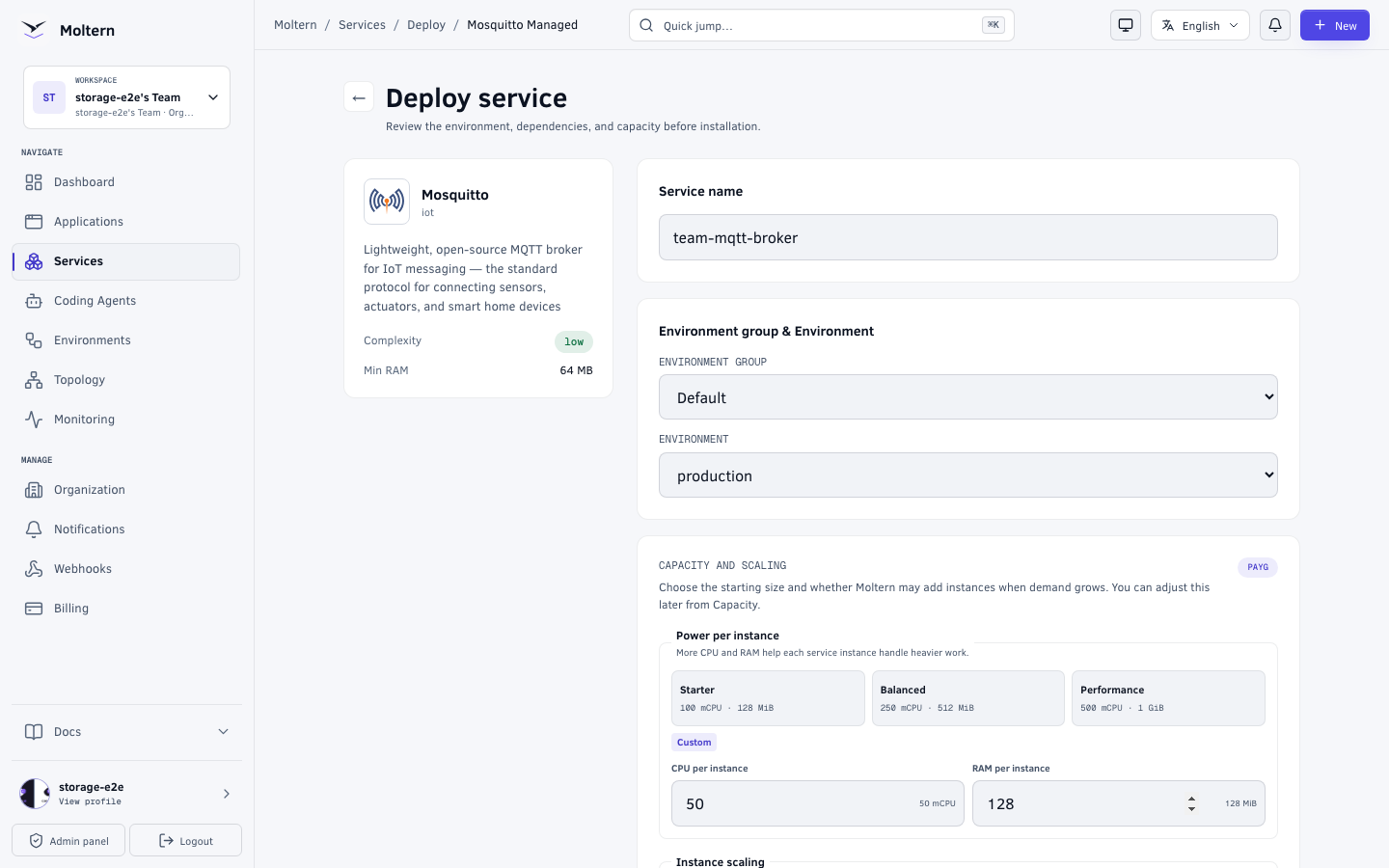
Review the impact preview before confirming the installation:
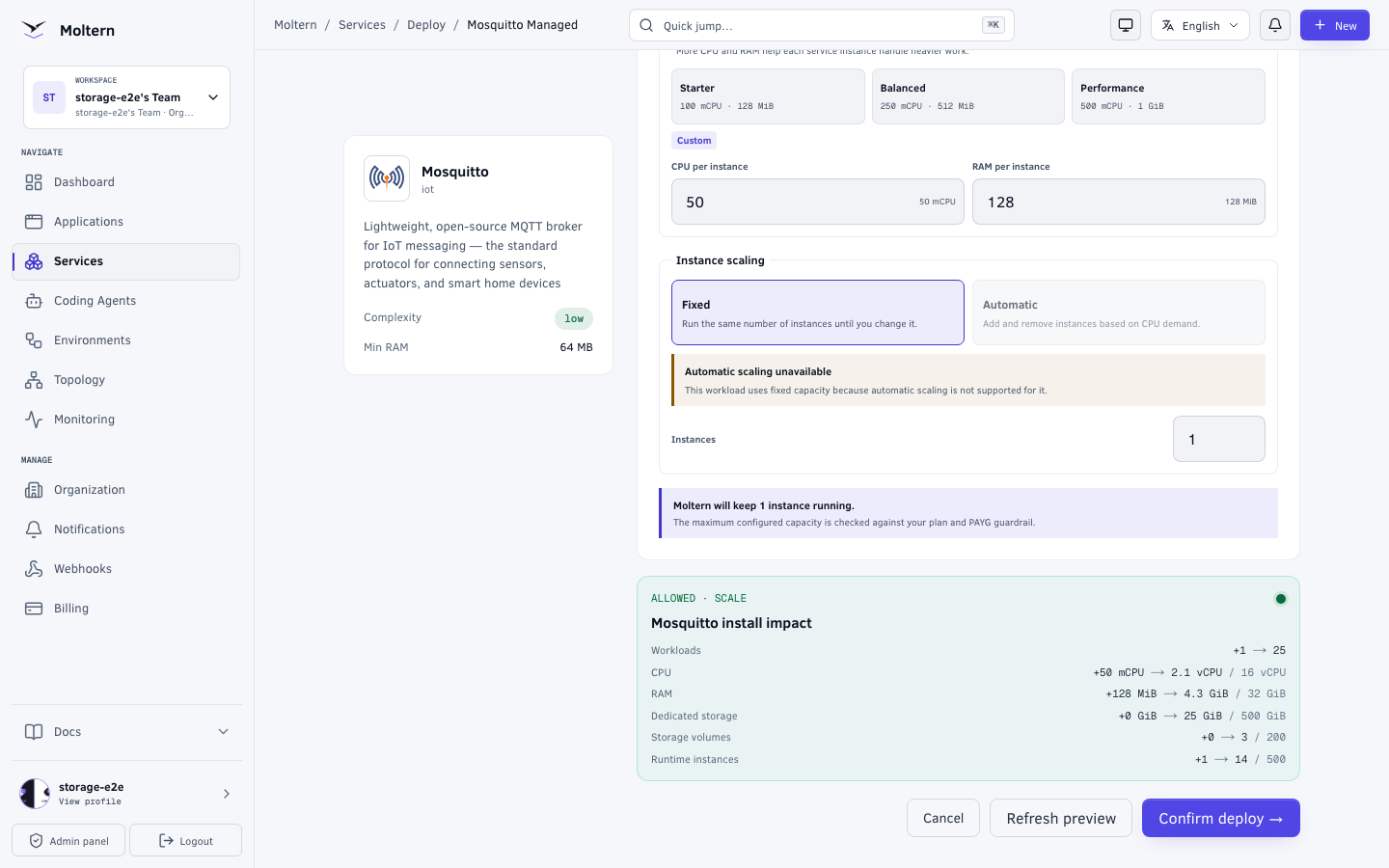
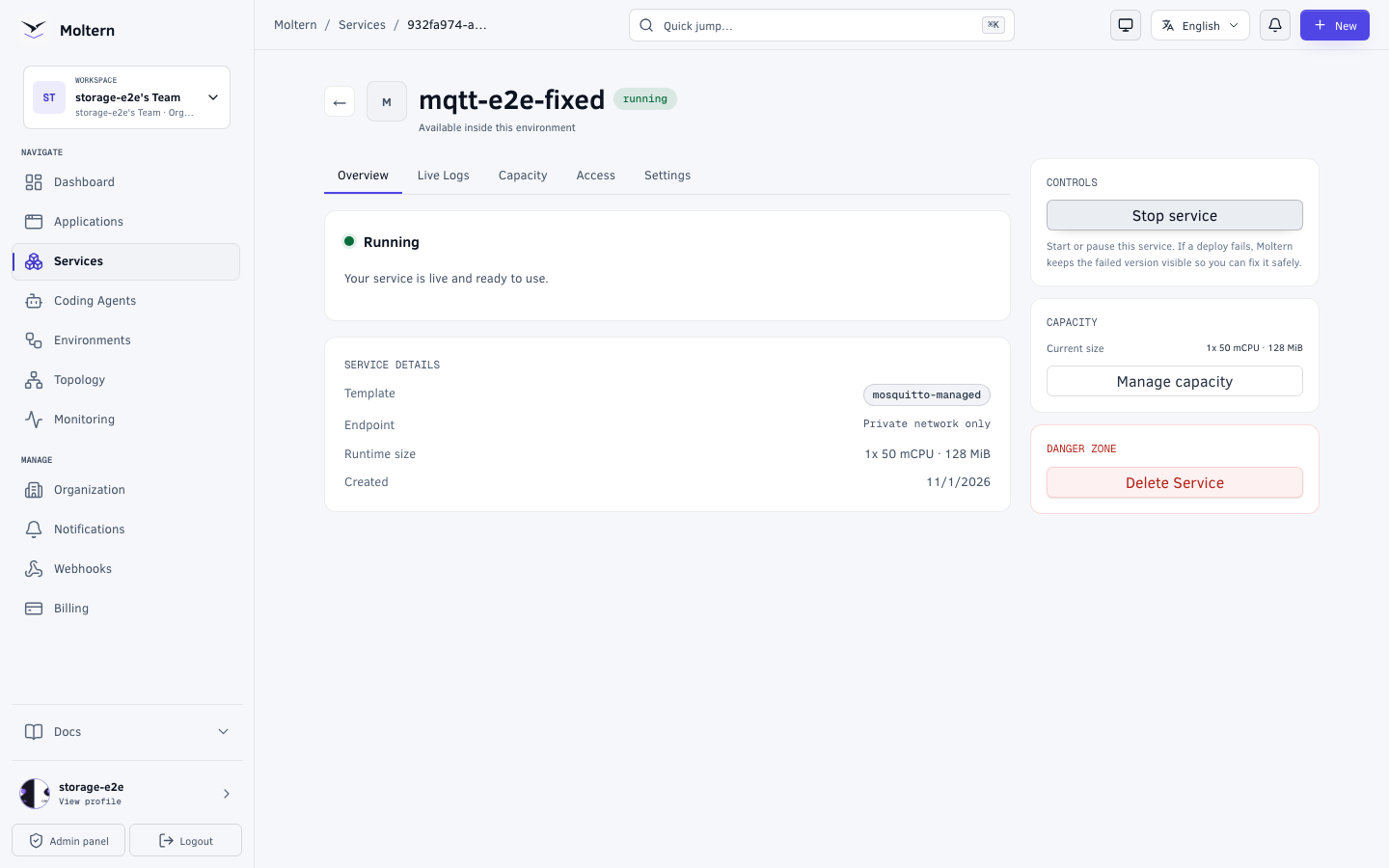
The service overview shows the running state and a Private network only endpoint. There is no website to open for this broker.
Connect an application or agent
Open the application or coding agent that should use MQTT. In its resource access controls, select the Mosquitto service in the same environment, grant the connection, and apply the change. A runtime restart may be needed before new connection variables appear. Do not grant access to a workload that does not need the broker.
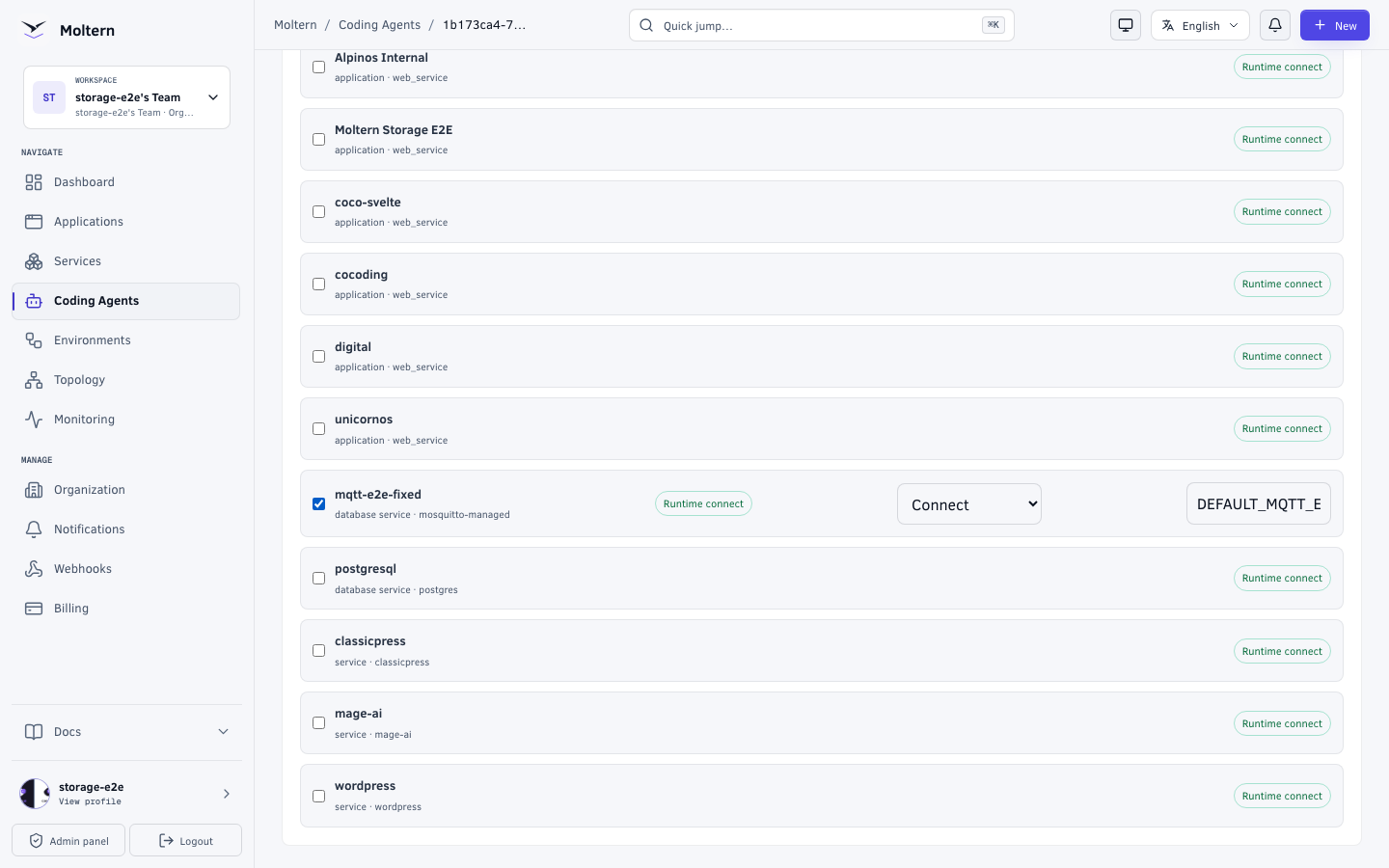
In a coding agent, open Resources, select the broker, and choose
Connect. The resource alias shown there becomes the prefix of its
connection variables. For example, an alias of MY_BROKER provides
MY_BROKER_MQTT_URL, MY_BROKER_MQTT_USERNAME and
MY_BROKER_MQTT_PASSWORD. An application attachment also receives the stable
MOLTERN_MOSQUITTO_MANAGED_ prefix shown below. Use the actual variable names
provided to your runtime; do not copy a different service's instance prefix.
| Application variable | Purpose |
|---|---|
MOLTERN_MOSQUITTO_MANAGED_MQTT_URL | Private mqtt:// endpoint |
MOLTERN_MOSQUITTO_MANAGED_MQTT_USERNAME | Client username |
MOLTERN_MOSQUITTO_MANAGED_MQTT_PASSWORD | Client password |
The service owner can review the private host, port and protected connection details from Settings. The password is masked until the owner completes the connection-details security check.
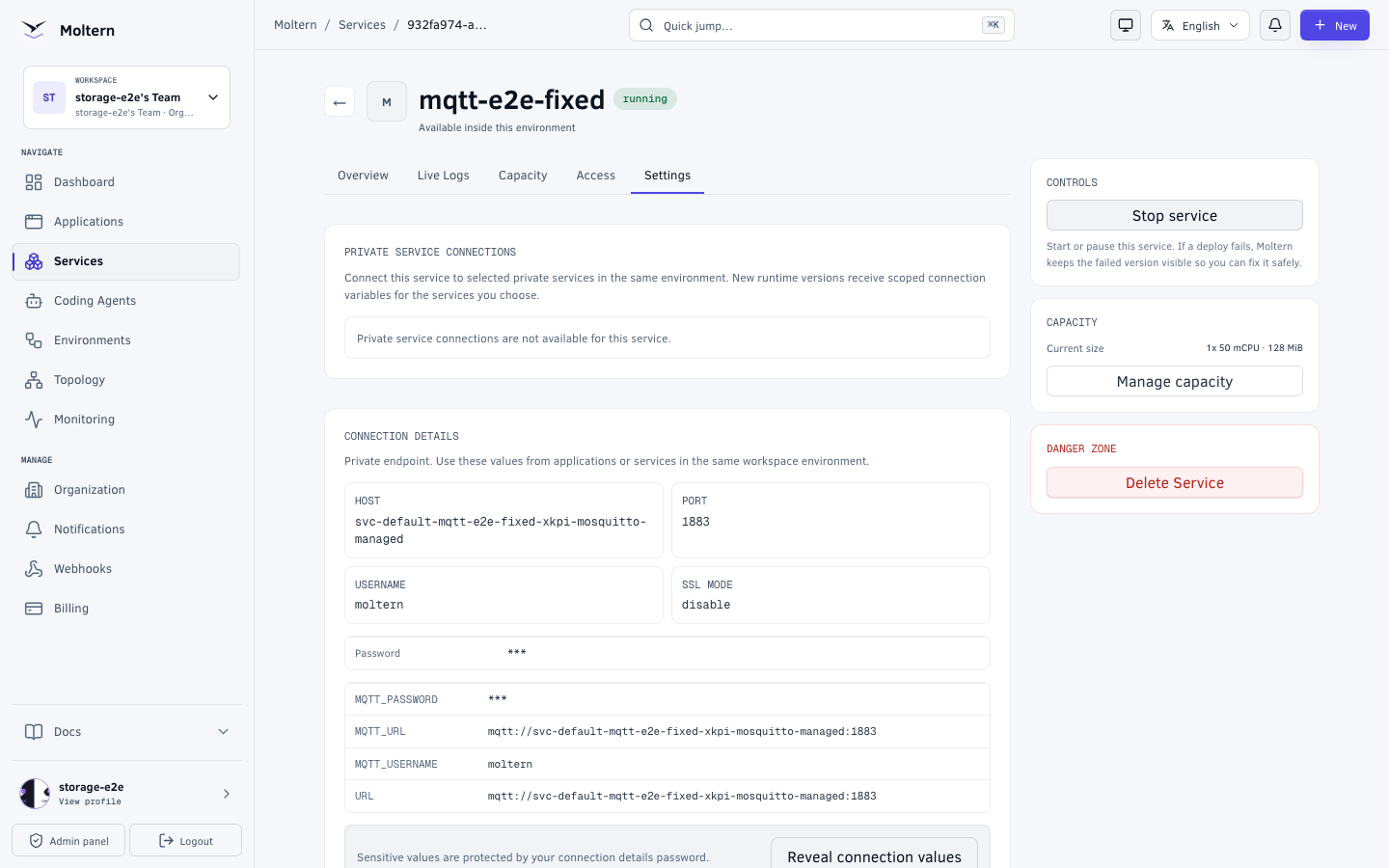
Your application should read the variables at runtime. Never put the password in frontend code, a repository, a command transcript, or a screenshot. An external client also needs an approved private network path; the MQTT address is not a browser page.
Node.js example
Install the maintained mqtt client in your application, then connect with
the variables supplied to the attached runtime:
import mqtt from 'mqtt';

const client = mqtt.connect(process.env.MOLTERN_MOSQUITTO_MANAGED_MQTT_URL, {
  username: process.env.MOLTERN_MOSQUITTO_MANAGED_MQTT_USERNAME,
  password: process.env.MOLTERN_MOSQUITTO_MANAGED_MQTT_PASSWORD,
});

client.on('connect', () => {
  client.subscribe('team/example/events', (error) => {
    if (error) {
      console.error('MQTT subscription failed', error);
      return;
    }
    client.publish('team/example/events', JSON.stringify({ event: 'ready' }));
  });
});

client.on('message', (topic, payload) => {
  console.log(topic, payload.toString());
});

client.on('error', (error) => {
  console.error('MQTT connection failed', error);
});
Use a topic prefix for your application, and avoid logging sensitive message contents in production. The current managed credential grants access to the broker; it is not a per-topic permission. Separate sensitive tenants or trust domains into separate brokers rather than relying on a topic name for isolation.
Check a real message flow
From an attached application or coding agent, subscribe to a disposable topic, publish a uniquely identifiable message, and confirm the subscriber receives the exact payload. Also check that a workload without a grant cannot connect. Network access and MQTT authentication are separate controls: a client that can reach the broker still needs the correct username and password.
For a message that must survive a broker restart, publish it as a retained message and subscribe again after the service returns. Ordinary live messages are not a durable job queue. Design consumers for retries and duplicates.
Stop, restart, and delete
Use Stop service when the broker should stop serving. Start it again from the same service page and confirm your retained test message is still present. Saved broker data is retained across an ordinary stop/start. This does not replace a tested backup or guarantee that every in-flight message has been written to disk.
Before deleting the service, disconnect its applications and agents, export any messages or configuration you need to keep, and review the stored-data deletion choice. Deleting the broker can remove its retained messages and client session state. Billing may show recently created data as Unknown until measurement completes; Unknown does not mean zero bytes.
Troubleshooting
| Symptom | Check |
|---|---|
| A browser cannot open the service | Expected. MQTT is a private protocol endpoint, not a web page. |
| Connection times out | Confirm that the client is in the same environment, has an explicit resource grant, and has restarted after the grant. |
| Connection is refused as unauthorized | Check the runtime username and password variables. Rotate a compromised credential before reconnecting clients. |
| A subscriber sees no earlier message | Only retained messages are delivered to new subscribers. Check the topic spelling and publish acknowledgement. |
| A service is Running but an app cannot connect | Test network permission and MQTT authentication separately; readiness alone is not an application-level test. |
For MQTT concepts and client options, see the Mosquitto documentation and the MQTT client library.