Flame
Create a lightweight start page for your team's daily tools and reference links. Flame separates application tiles from bookmark categories and lets you choose which items are publicly visible and which require its dashboard login.
Before You Start
You need a Moltern environment, permission to deploy services and the full URLs of the resources you want to include. No separate database is required. Choose a strong dashboard password and keep it in your password manager.
Flame's login protects editing and items marked Hidden (authentication required). It does not make every item private automatically. Visible (anyone can access it) items remain available without signing in. Do not put passwords, tokens or signed private URLs in titles, descriptions or bookmarks.
Deploy Flame
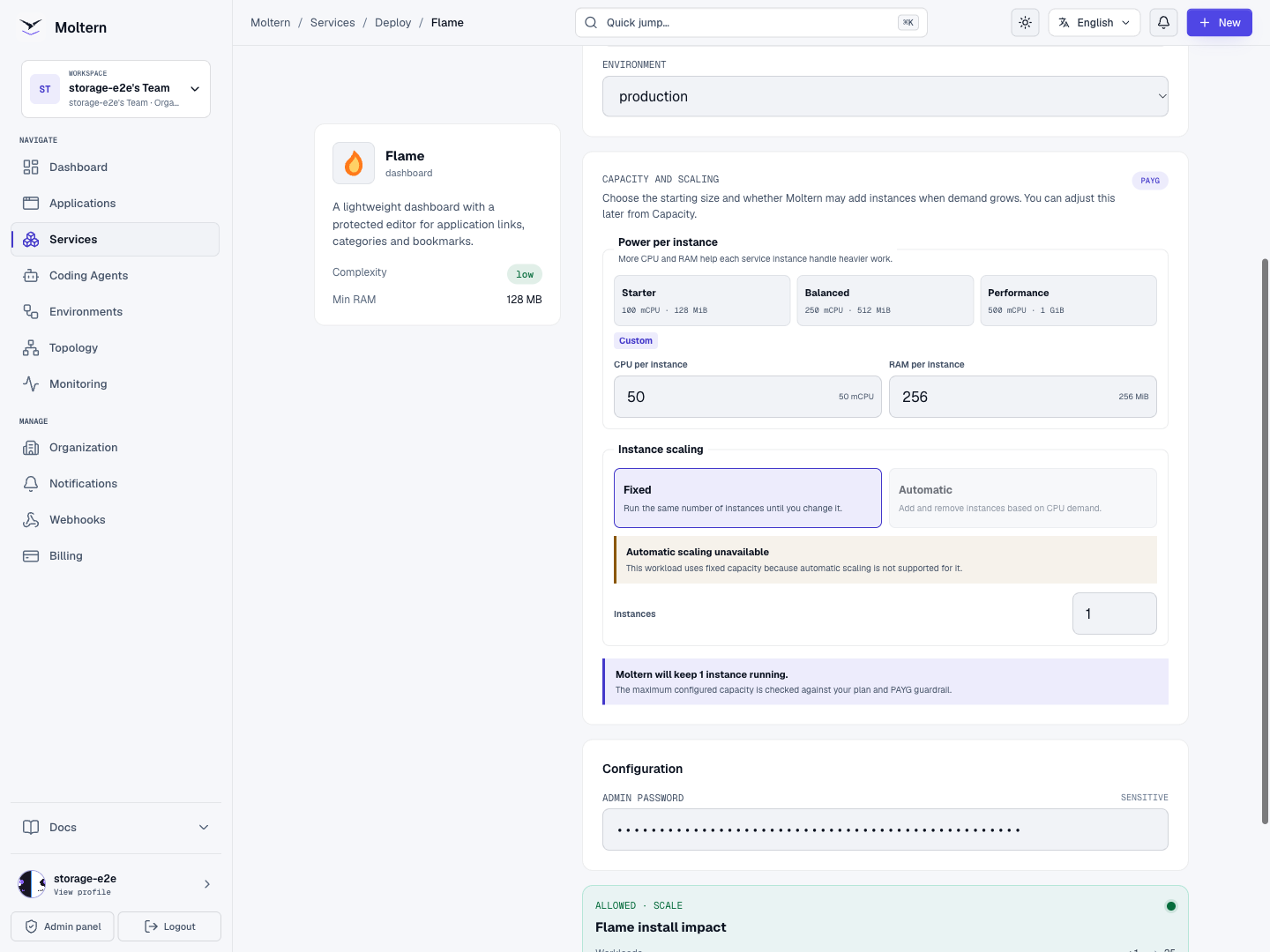
- Open Services, find Flame and select Deploy.
- Set a service name and select the environment group and environment.
- Set Admin password. This is the password used in Flame's own settings.
- Review capacity. A small start page can begin with 50 mCPU and 256 MiB memory.
- Select Preview deploy, review the impact and Confirm deploy.
- Wait for Running and open the generated URL.
Sign In To Settings
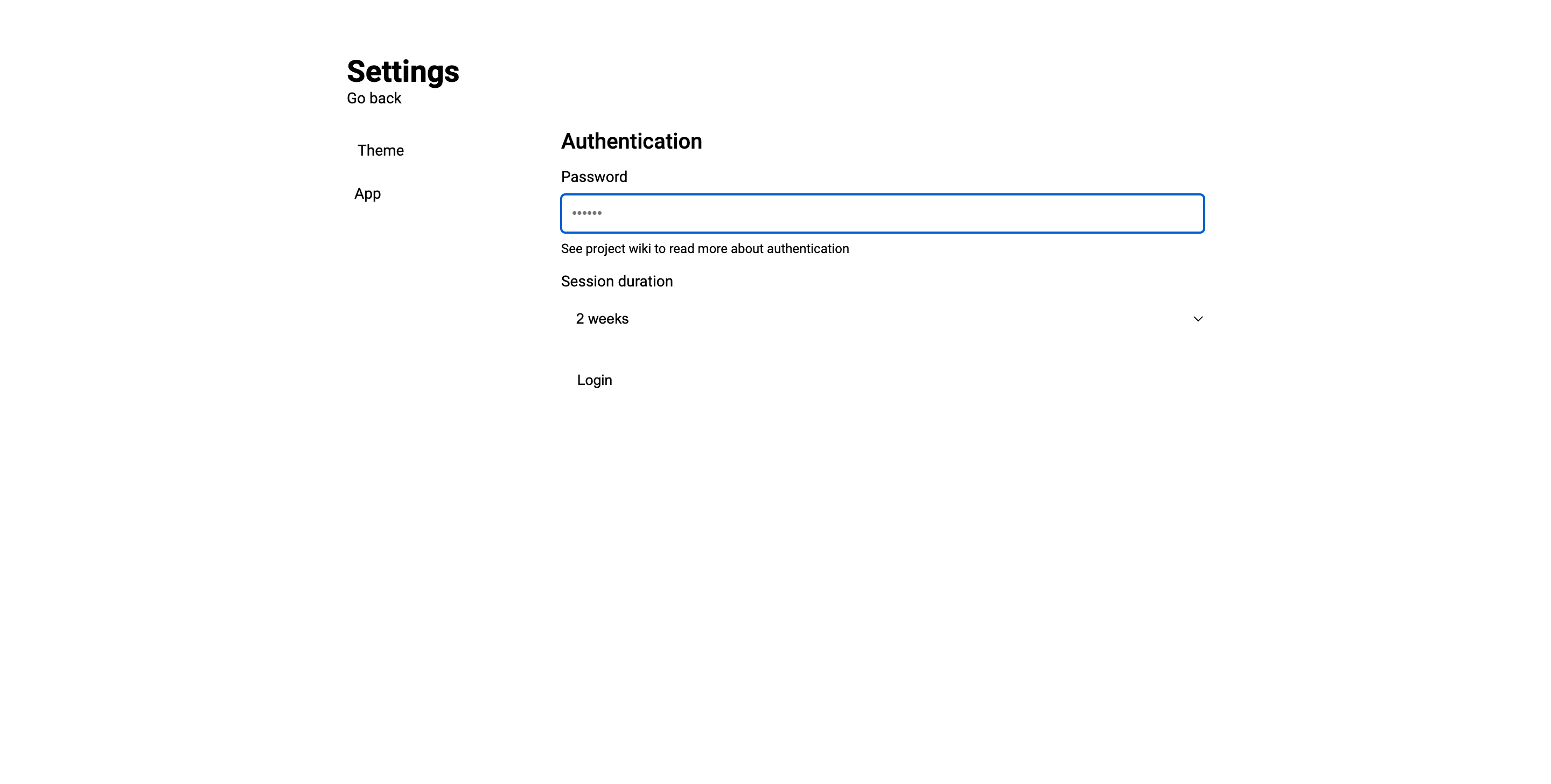
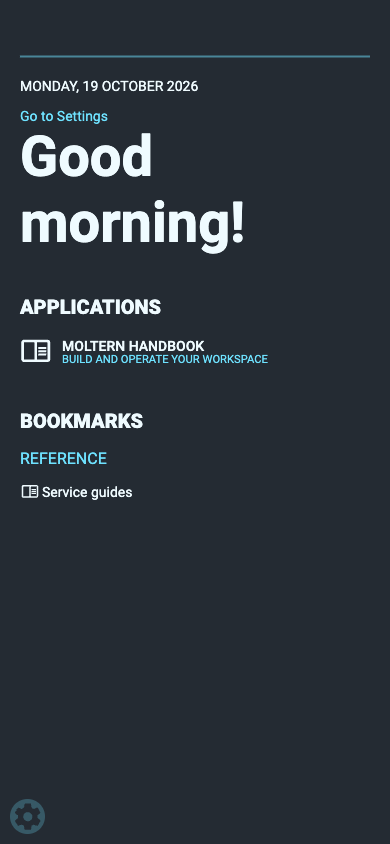
- Open the settings link or gear on Flame's start page.
- Enter the dashboard password, choose a session duration and select Login.
- Confirm that editing and additional settings sections become available.
If you need the managed login again, open Moltern's Settings → Connection details and use its protected reveal workflow. The connection-details password protects this reveal; it is not the Flame dashboard password.
Create An Application Tile
- Return to the start page and open Applications.
- Select Add.
- Fill App name, App URL and an optional description.
- Choose an MDI icon name, such as
book-open-outline, or a suitable image. - Set App visibility deliberately. Select Hidden (authentication required) for a tile that should only appear after login.
- Select Add new application.
- Close the form with its cross icon and return to the dashboard.
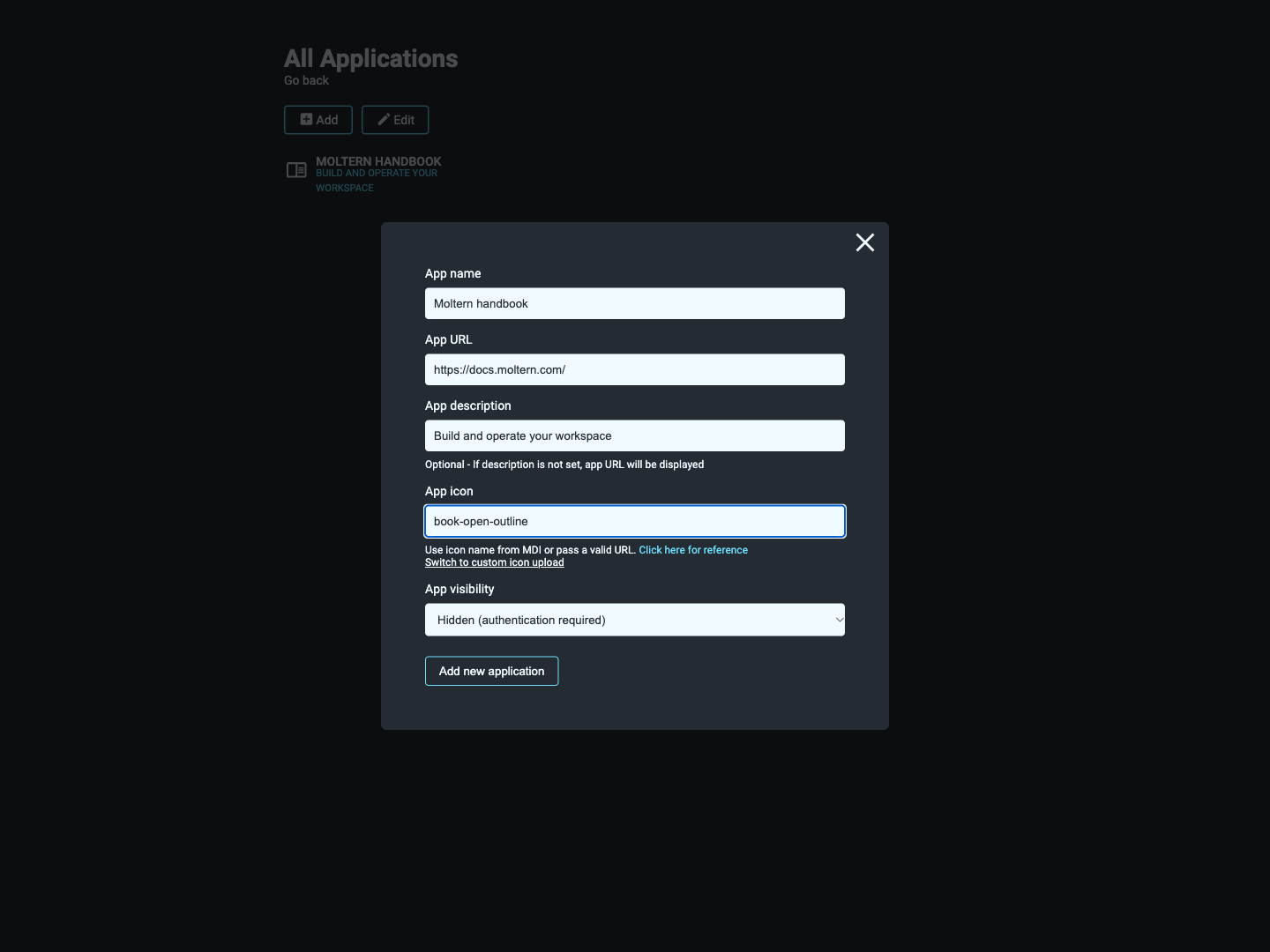
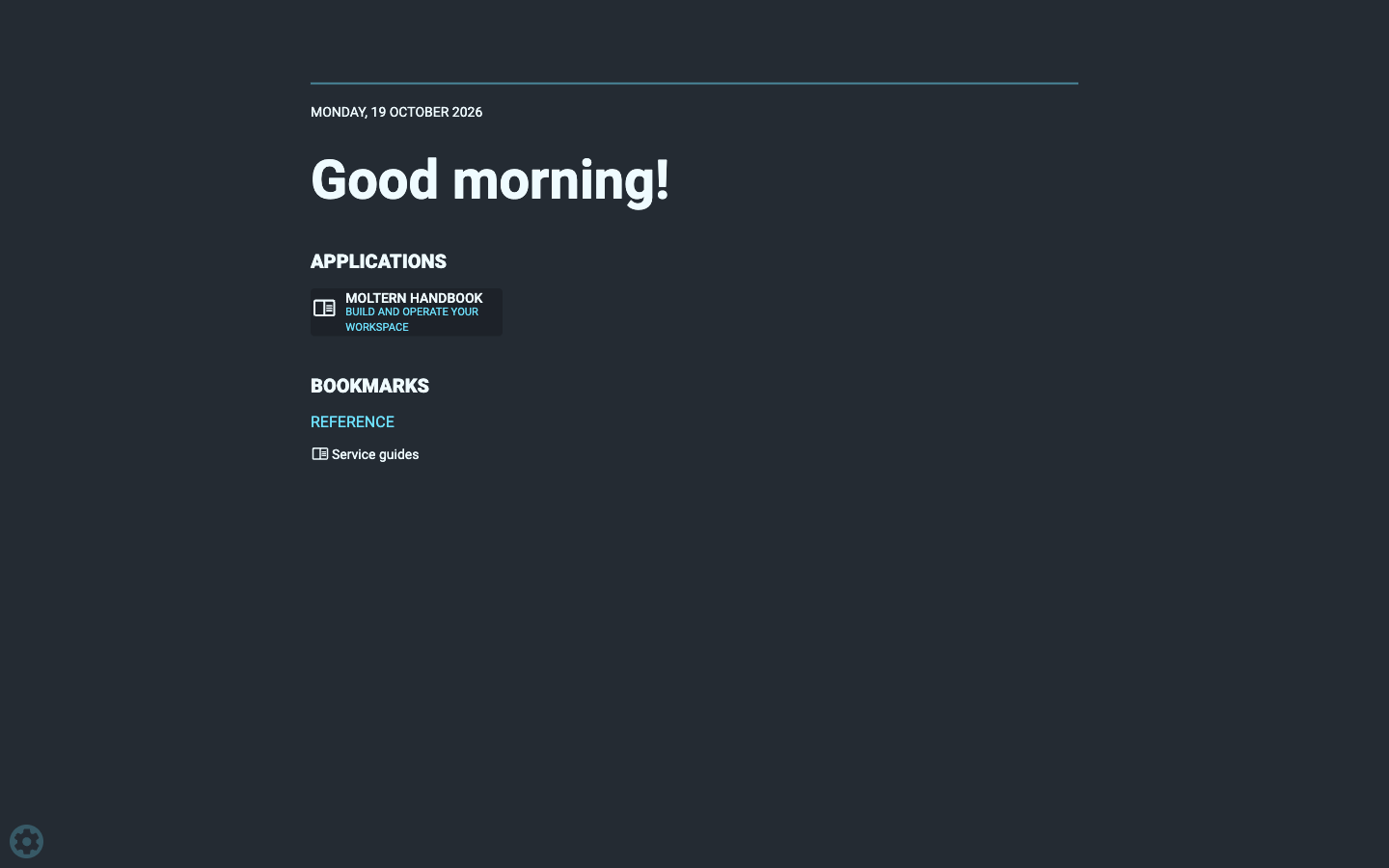
The example points to https://docs.moltern.com/. Replace it with the tool your
team actually uses. Open the tile to confirm the URL and any required login at
the destination. A tile does not grant access to another service or application.
Group Reference Bookmarks
- From the start page, open Bookmarks.
- Select Add Category, enter a name and choose its visibility.
- Select Add new category, then close the form.
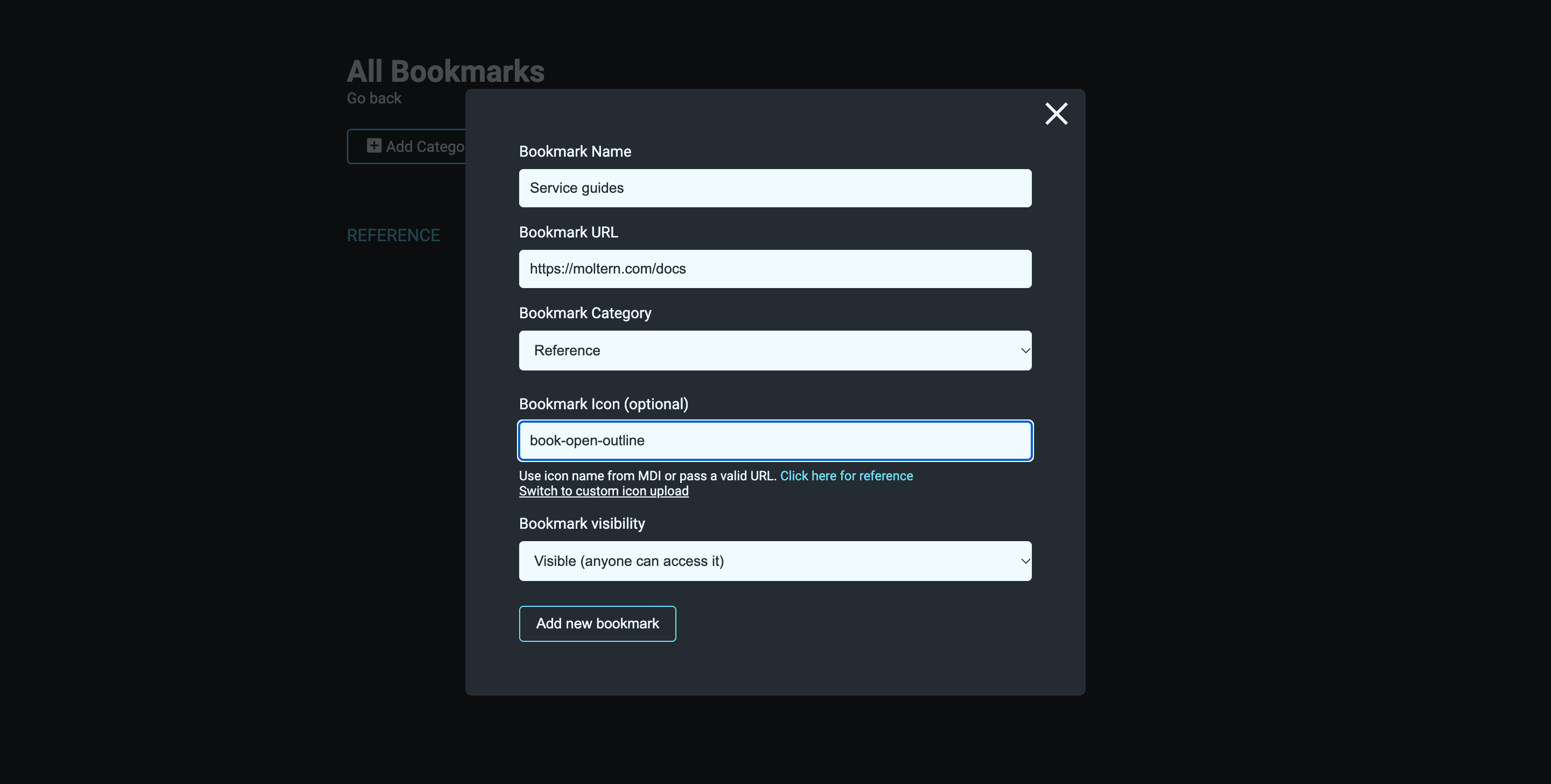
- Select Add Bookmark, enter its name and URL, and choose a category.
- Set the bookmark's visibility and select Add new bookmark.
- Close the form and return to the start page.
For example, group your service documentation under Reference. Public reference links can be visible to visitors while application tiles remain hidden.
Check the result in a private browser window: hidden application tiles should not appear there, while deliberately public bookmarks remain available.
Choose Appearance And Search
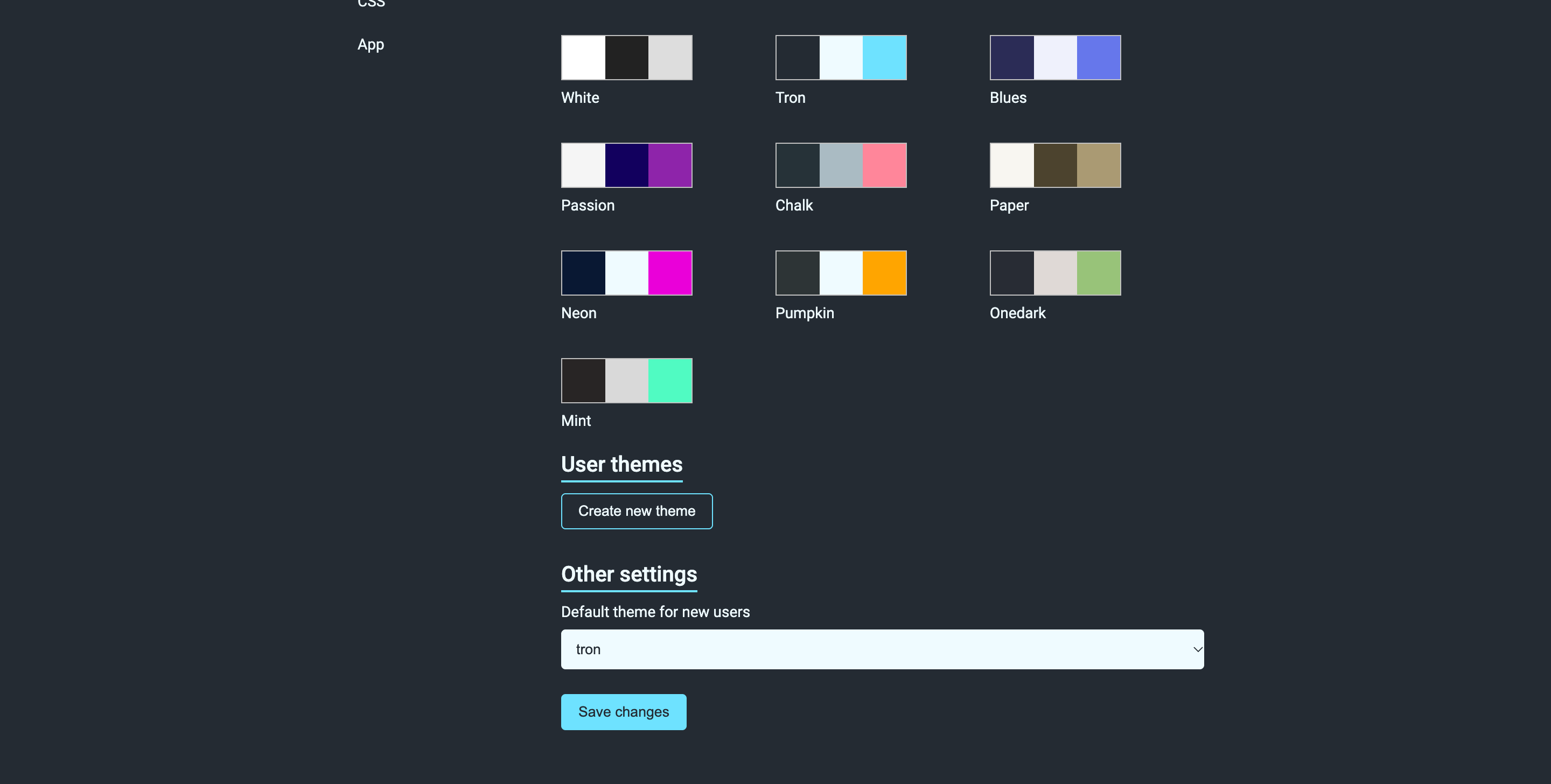
Open Settings → Theme, select a palette and set Default theme for new users if appropriate, then Save changes. The current browser's selection and the default for new visitors are separate choices. Review the page again in a fresh browser when changing the default.
Use clear names so the homepage search can find your tools. Settings for weather or other external integrations may need your own provider credentials. The Docker settings page does not mean this template grants access to a host Docker socket.
Saved Data, Capacity And Restarts
Flame keeps application links, bookmark categories, settings and its login state data in saved service storage. Normal Stop/Start cycles preserve that data. Wait for Running before reloading, and sign in again if your browser session expired. Keep an independent record of important URLs before a destructive edit.
Use Moltern's Capacity tab for CPU and memory adjustments, Live Logs for runtime errors and Settings → Domains to configure a custom domain. Resource updates may briefly interrupt access. Review Billing for workspace resource and storage usage.
Troubleshooting
| Symptom | What to check |
|---|---|
| Editing controls are missing | Sign in through Flame's settings using its dashboard password. |
| An item is visible to a guest | Check both the category and item visibility, then retest in a private browser. |
| A saved item seems missing | Check whether it is hidden and whether the current browser is signed in. |
| The add form remains open after saving | This allows adding another item; close it with the cross icon. |
| Appearance is unreadable on an older installation | Choose a valid palette in Theme and save the new-visitor default, then refresh. |
| A linked tool rejects access | Sign in at that tool. Flame does not supply its credentials. |
| Deployment does not finish | Review the actual error in Live Logs and the deployment guidance before retrying. |
Remove Flame
Select Delete Service, review the stored-data choice and confirm your account. Delete stored data removes the saved start-page data after cleanup. Record important links first. Deleting Flame does not delete any of the applications or websites represented by its tiles and bookmarks.
Related Guides
- Flame source and documentation
- Homer: a YAML-configured bookmark launchpad.
- Dashy: an editable team homepage.